How to Establish Pediatric Care Telehealth for Your Family

Pediatric telehealth is defined as virtual care in which a licensed clinician engages both child and parent as active partners to deliver health services ranging from routine follow-ups to urgent-care triage. To establish pediatric care via telehealth, you need the right technology, a verified provider, and a clear understanding of consent requirements before your first visit. The American Academy of Pediatrics recognizes telehealth as a legitimate care modality for behavioral health, minor illness triage, chronic disease monitoring, developmental concerns, and lactation support. This guide walks you through every step: choosing a platform, preparing your child, protecting privacy, and getting the most from every virtual visit.
How to establish pediatric care via telehealth: what you need first
Before you schedule a single appointment, three things must be in place: a capable device, a verified patient account, and your child’s medical records within reach. Getting these right prevents the most common first-visit failures.
Technology requirements
- A smartphone, tablet, or laptop with a front-facing camera and microphone
- A stable internet connection (at minimum 10 Mbps download speed for clear video)
- A quiet, private space free from background noise and interruptions
- Updated browser or the provider’s dedicated app installed and tested before the visit
Account and documentation setup
- Create a patient portal account with your chosen provider and add your child as a dependent
- Complete pre-visit intake forms covering current symptoms, medications, and allergies
- Have your insurance card and member ID ready; many platforms verify coverage before booking
- Gather your child’s immunization records and any specialist reports relevant to the visit
Pro Tip: Run a test video call with a family member 24 hours before your child’s first telehealth appointment. This catches audio or camera issues before they disrupt a clinical visit.
Providers like Myanchorhealthpc use secure video platforms that are HIPAA-compliant, meaning your child’s health information stays protected throughout the visit. Logging in five minutes early gives you time to troubleshoot and lets the clinician start on time.

How do you choose the right pediatric telehealth platform?
Telehealth platforms fall into three broad categories: standalone apps, health system portals, and payer-sponsored services. Each has trade-offs in cost, specialty access, and continuity of care.
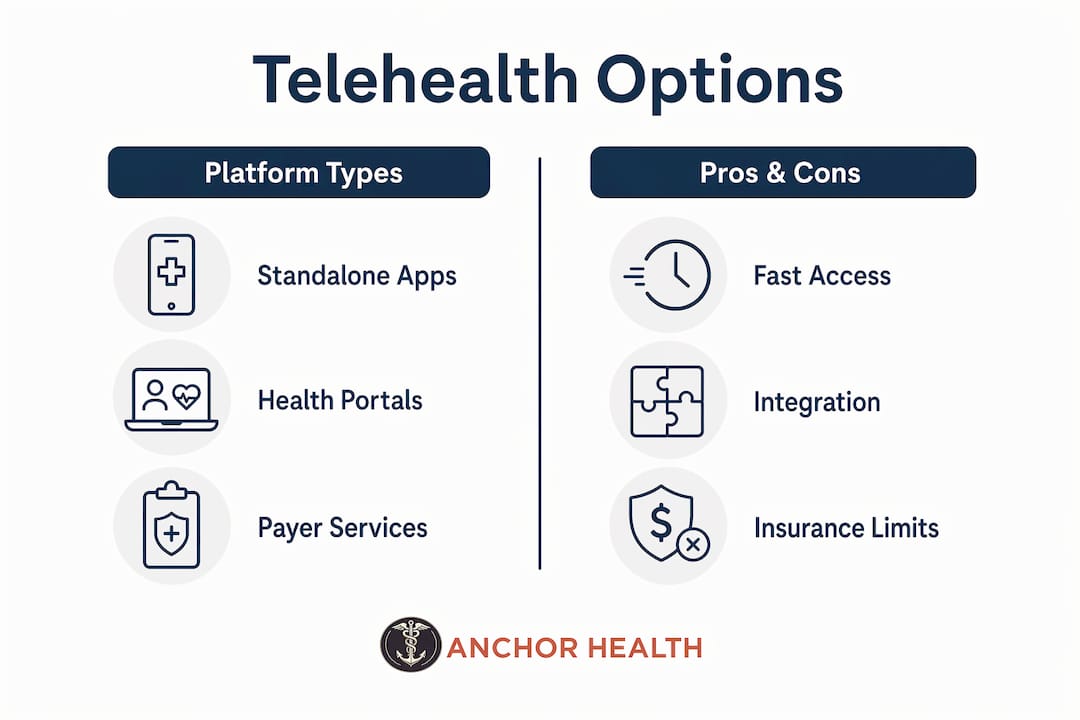
| Platform type | Best for | Limitations |
|---|---|---|
| Standalone apps (e.g., 24/7 urgent care services) | Fast access to on-demand urgent visits | Limited continuity; different clinician each time |
| Health system portals (e.g., hospital-affiliated telehealth) | Integrated records with in-person care team | May require existing patient relationship |
| Payer-sponsored services (Medicaid, private insurer portals) | Broad access with low or no copay | Specialty scope may be narrow |
| Independent primary care telehealth (e.g., Myanchorhealthpc) | Relationship-based, longitudinal pediatric care | Geographic restrictions may apply |
Insurance coverage is a deciding factor. About 40% of US children are enrolled in Medicaid or CHIP, and most of those plans now reimburse telehealth visits at rates comparable to in-person care. That figure means the majority of families have coverage they may not be fully using.
When evaluating platforms, prioritize providers that offer a consistent clinician rather than a rotating on-call pool. Continuity matters in pediatric care because a provider who knows your child’s history catches patterns that a one-time urgent-care clinician will miss. Myanchorhealthpc’s Anchored Care℠ model is built on exactly this principle: one trusted provider, ongoing relationship, no fragmented episodes.
Also confirm whether the platform integrates asynchronous options. Store-and-forward telehealth, such as submitting a photo of a rash or a short video of your child’s gait, supplements live visits and is especially valuable for pediatric dermatology and respiratory monitoring between appointments.
How to prepare your child and involve them during virtual visits
Involving kids in telehealth appointments effectively depends on age. A three-year-old and a thirteen-year-old require completely different approaches, and the clinician’s ability to assess your child depends heavily on what you do before and during the call.
-
For children ages 3 to 9: Stay in the frame with your child throughout the visit. Caregiver presence during telehealth sessions significantly improves engagement and clinical accuracy for this age group. Hold the device at your child’s eye level and be ready to assist with camera positioning when the clinician asks to see a specific area.
-
For children ages 10 to 12: Introduce the concept of the visit beforehand. Tell your child who they will speak with and why. Let them answer the clinician’s questions directly when possible. This builds comfort with virtual care and gives the provider a more accurate picture of symptoms.
-
For teenagers: Give them a degree of privacy if the visit involves sensitive topics such as mental health or sexual health. Sit nearby but off-camera unless the clinician requests your direct input. The AAP-supported telehealth framework recognizes that adolescent engagement improves when teens feel respected as participants, not subjects.
-
Camera positioning for all ages: Point the camera at good lighting, ideally facing a window. For throat checks, have a flashlight ready. For skin concerns, hold the device six to eight inches from the affected area and keep it steady.
-
Know when telehealth is not enough: Certain situations require in-person care. Fever in infants under 3 months, respiratory distress, or any situation requiring a hands-on physical exam should go directly to an in-person provider or emergency department.
Pro Tip: Keep a small notepad next to you during the visit. Write down the clinician’s instructions in real time. Parents consistently recall post-visit instructions more accurately when they take notes rather than relying on memory alone.
What are the consent and privacy rules for pediatric telehealth?
Consent in pediatric telehealth is non-negotiable and legally required. Understanding the rules before your first visit protects your child and keeps the visit compliant.
- Parental or legal guardian consent is required for every telehealth visit involving a minor. Consent can be written or verbal, depending on state law and provider policy, but it must be documented before the visit begins.
- Consent extends to who is present in the room. If another adult, a student clinician, or a family member is observing the visit, the provider must disclose this and you must agree. You have the right to request a private session with only the treating clinician.
- Verification procedures matter. Providers will confirm your identity, your relationship to the child, and your insurance information at the start of the visit. This is not bureaucratic friction. It is a clinical safety step.
- HIPAA protections apply fully to telehealth visits. Use a private network rather than public Wi-Fi, and close other browser tabs or apps that could capture audio.
- Behavioral health and school-based telehealth carry additional rules. School-based telehealth programs often require separate written consent from parents before any session, and some states require specific consent forms for mental health services delivered to minors.
“Effective pediatric telehealth requires caregiver participation and proper consent to balance privacy with clinical safety.” — Center for Connected Health Policy
For families in Maryland, Myanchorhealthpc follows all state-specific consent requirements and walks parents through the process during onboarding so nothing is left to chance.
Troubleshooting common challenges and maximizing pediatric telehealth benefits
Technology problems and clinical limitations are the two most common reasons parents feel frustrated with virtual pediatric care. Both are manageable with the right preparation.
Common technology fixes:
- If video freezes, switch from Wi-Fi to a wired ethernet connection or move closer to your router
- If audio cuts out, use headphones with a built-in microphone rather than your device’s built-in speakers
- If the platform crashes, most providers have a backup phone number for audio-only visits
Knowing when to escalate:
Telehealth works best when the parent’s observations and camera substitute for the clinician’s physical exam. When that substitution is not clinically sufficient, in-person care is the right call. Signs that a visit needs to move in-person include labored breathing, a child who cannot be consoled, visible swelling or injury, or any symptom that is worsening rapidly during the call.
The real benefits of pediatric telehealth visits:
- Reduced exposure to other sick children in waiting rooms, which matters most during flu season and respiratory virus surges
- Access to specialists who may not be available locally, including pediatric behavioral health providers
- Reduced emergency department loads and cost-effective, timely care with documented clinical outcomes
- Remote monitoring tools such as connected pulse oximeters and digital scales that support chronic disease management between visits
For families managing conditions like asthma, ADHD, or Type 1 diabetes, telehealth follow-ups between in-person visits keep care consistent without requiring time off work or school. That continuity is where the real clinical value accumulates. You can learn more about telehealth access for families and how virtual care removes traditional barriers to quality pediatric services.
Key takeaways
Establishing pediatric telehealth care requires the right technology, a relationship-based provider, documented parental consent, and age-appropriate child engagement to deliver safe and effective virtual visits.
| Point | Details |
|---|---|
| Technology comes first | Stable internet, a video-capable device, and a private space are non-negotiable before any visit. |
| Choose continuity over convenience | A consistent provider who knows your child’s history delivers better care than rotating on-call clinicians. |
| Consent is legally required | Parental consent, written or verbal, must be documented before every telehealth visit for a minor. |
| Age shapes engagement strategy | Caregiver presence is recommended for children ages 3 to 9; teens benefit from greater autonomy during visits. |
| Know the limits | Fever in infants under 3 months, respiratory distress, and hands-on exam needs require in-person care. |
What I have learned from watching families use pediatric telehealth
After years of observing how families integrate virtual care into their routines, one pattern stands out clearly: the families who get the most from pediatric telehealth are the ones who treat it as a relationship, not a transaction.
Parents who prepare a brief symptom summary before each visit, keep the same provider across appointments, and follow up on care plans between sessions see measurably better outcomes. The ones who use telehealth only as a last-minute convenience tool tend to feel like it never quite delivers.
I have also noticed that behavioral health and developmental follow-ups are consistently underused via telehealth. Many parents still assume these visits require an in-person setting. They do not. A skilled clinician can assess mood, attention, and social responsiveness through a well-positioned camera and a prepared caregiver. The family-centered approach to primary care works just as well virtually when both sides come prepared.
The technology will keep improving. Wearable monitors, AI-assisted symptom triage, and better asynchronous tools are already changing what is possible in pediatric virtual care. But the foundation will always be the same: a trusted clinician, an engaged caregiver, and a child who feels safe. Build that relationship now, and the technology becomes a tool rather than a barrier.
— Paule
Ready to set up pediatric telehealth care for your child?
Choosing the right provider is the most important decision you will make when setting up telehealth for your children. Myanchorhealthpc offers relationship-based pediatric and adolescent care through secure video visits, accepting insurance and serving families across Maryland with the continuity and attention that growing children need.

Whether you are starting fresh or looking to move away from fragmented care, our pediatric telehealth guide for parents walks you through what to expect and how to get started. If you are ready to evaluate your options side by side, our resource on choosing telehealth primary care gives you a clear framework for making the right call for your family.
FAQ
What is pediatric telehealth and what does it cover?
Pediatric telehealth is virtual care delivered by a licensed clinician to children and their caregivers via secure video or audio connection. It covers routine follow-ups, behavioral health, minor illness triage, chronic disease monitoring, and developmental concerns.
How do I set up a telehealth visit for my child?
Create a patient portal account with your chosen provider, complete pre-visit intake forms, confirm insurance coverage, and test your device and internet connection before the appointment. Most providers walk you through setup during registration.
Is parental consent required for pediatric telehealth?
Yes. Parental or guardian consent is required before every telehealth visit for a minor and must be documented by the provider, either in written or verbal form depending on state law.
When should I take my child to an in-person provider instead?
Take your child in-person for fever in infants under 3 months, respiratory distress, visible injuries, or any condition that requires a hands-on physical exam. Telehealth is not appropriate when the clinician’s camera cannot substitute for direct assessment.
Does insurance cover pediatric telehealth visits?
Most Medicaid, CHIP, and private insurance plans now reimburse pediatric telehealth at rates comparable to in-person visits. Confirm your specific plan’s telehealth benefits before booking, as coverage details vary by insurer and state.
Recommended
- Telehealth for Kids Explained: What Parents Need to Know
- How to Choose Telehealth Primary Care for Your Family
Blog & Information Disclaimer
Last Updated: May 23, 2026
The information provided on the Anchor Health website (https://myanchorhealthpc.com/), including but not limited to blog posts, articles, newsletters, graphics, and other materials (collectively, the "Content"), is for general informational and educational purposes only.
By accessing and using this website, you acknowledge and agree to the following terms and conditions:
The Content on this website is not intended to be a substitute for professional medical advice, diagnosis, or treatment. Always seek the advice of your physician, nurse practitioner, or other qualified health provider with any questions you may have regarding a medical condition. Never disregard professional medical advice or delay in seeking it because of something you have read on this website.
Reading, interacting with, or sharing the Content on this website does not establish a patient-provider relationship between you and Anchor Health or any of its clinicians, including Paule Valery Joseph, PhD, MBA, CRNP, FAAN. A formal patient-provider relationship is only established after you have completed the formal intake process, signed our clinical consent forms, and participated in a secure clinical consultation.
If you are experiencing a medical emergency, call 911 or seek emergency medical services immediately.
Anchor Health is a primary care practice and does not provide emergency or crisis intervention services through its website or blog.
While Anchor Health strives to provide thoughtful, evidence-based information grounded in our Anchored Care℠ model, healthcare is a rapidly evolving field. We make no representations or warranties, express or implied, about the completeness, accuracy, reliability, or suitability of the information contained in the Content. Any reliance you place on such information is strictly at your own risk.
Anchor Health is a telehealth practice providing services to patients physically located within the state of Maryland. The information provided on this blog is intended for residents of Maryland and is governed by the laws and regulations of that state. Accessing this information from outside of Maryland does not imply that our clinicians are licensed to practice medicine or provide consultations in your jurisdiction.
Content related to Weight & Metabolic Health, including discussions of GLP-1 medications or other medical therapies, is provided for educational context regarding our clinical approach. Prescriptions and specific medical recommendations are only made following a comprehensive clinical evaluation, diagnostic testing, and shared decision-making within a formal patient-provider relationship.
This website may contain links to external websites that are not provided or maintained by or in any way affiliated with Anchor Health. Please note that Anchor Health does not guarantee the accuracy, relevance, timeliness, or completeness of any information on these external websites.
To the fullest extent permitted by law, Anchor Health, its owners, and its employees shall not be liable for any direct, indirect, incidental, consequential, or punitive damag
Related posts