How to Attend a Telehealth Visit as a Caregiver
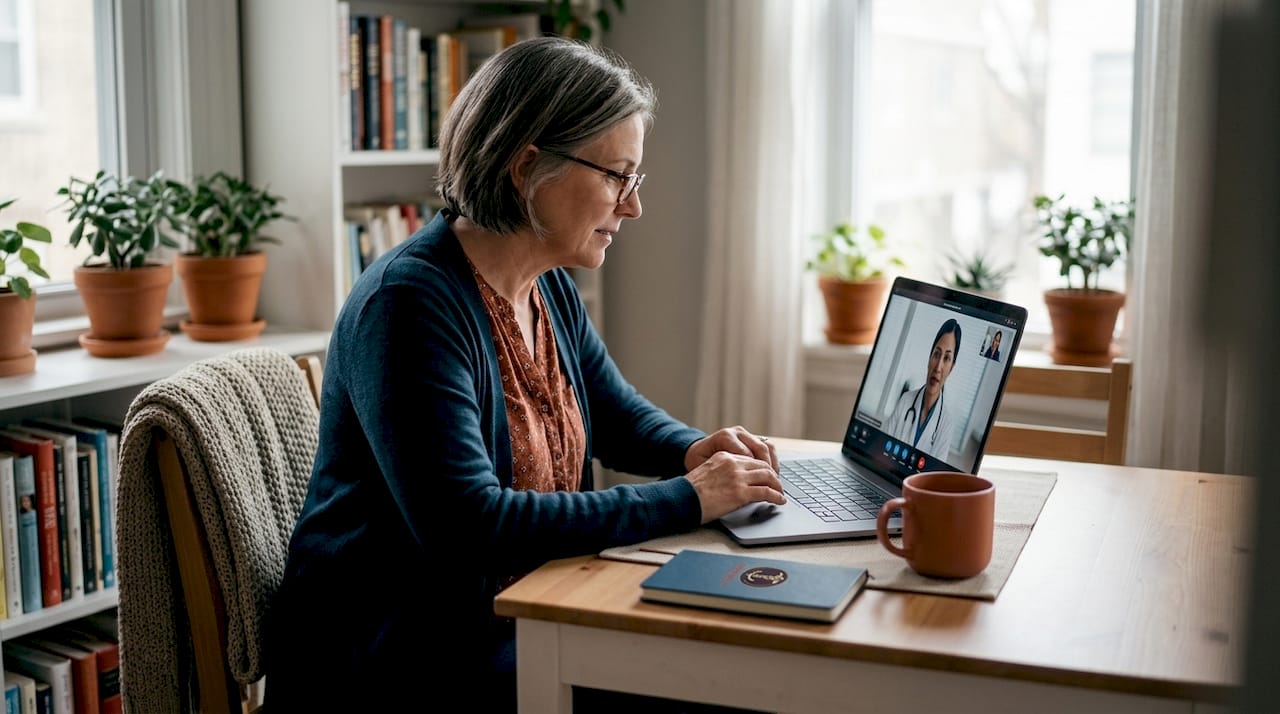
Attending a telehealth visit as a caregiver means actively facilitating your loved one’s virtual healthcare appointment to support effective communication and care delivery. Telehealth, the formal term for remote clinical services delivered via video or phone, has made it possible for family members to join from anywhere, reducing travel burdens and connecting patients to specialists not available locally. Research from the TeleCARE program found that 65% of caregivers needed ongoing technological support during telehealth sessions, which confirms that preparation is not optional. Your role in a caregiver virtual consultation goes far beyond sitting nearby. You are a communication partner, a technical guide, and an advocate.
What do caregivers need before a telehealth visit?
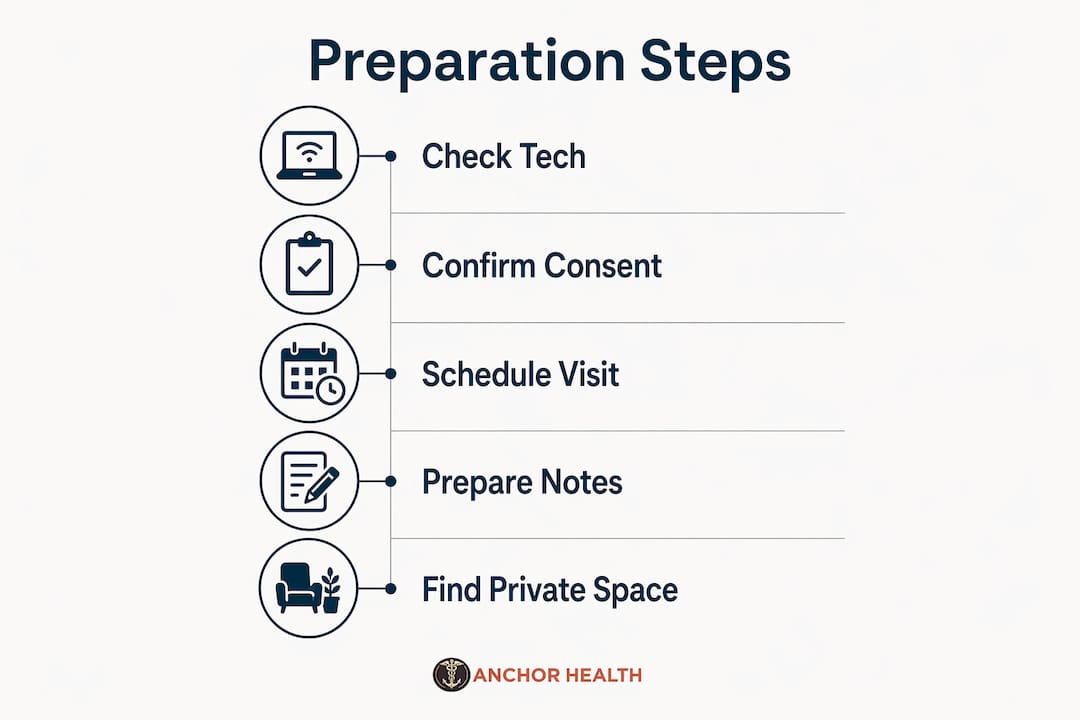
Preparation is the single factor that separates a productive caregiver online medical visit from a frustrating one. The right tools, the right permissions, and a clear conversation with the provider before the appointment are all non-negotiable.
Technology requirements
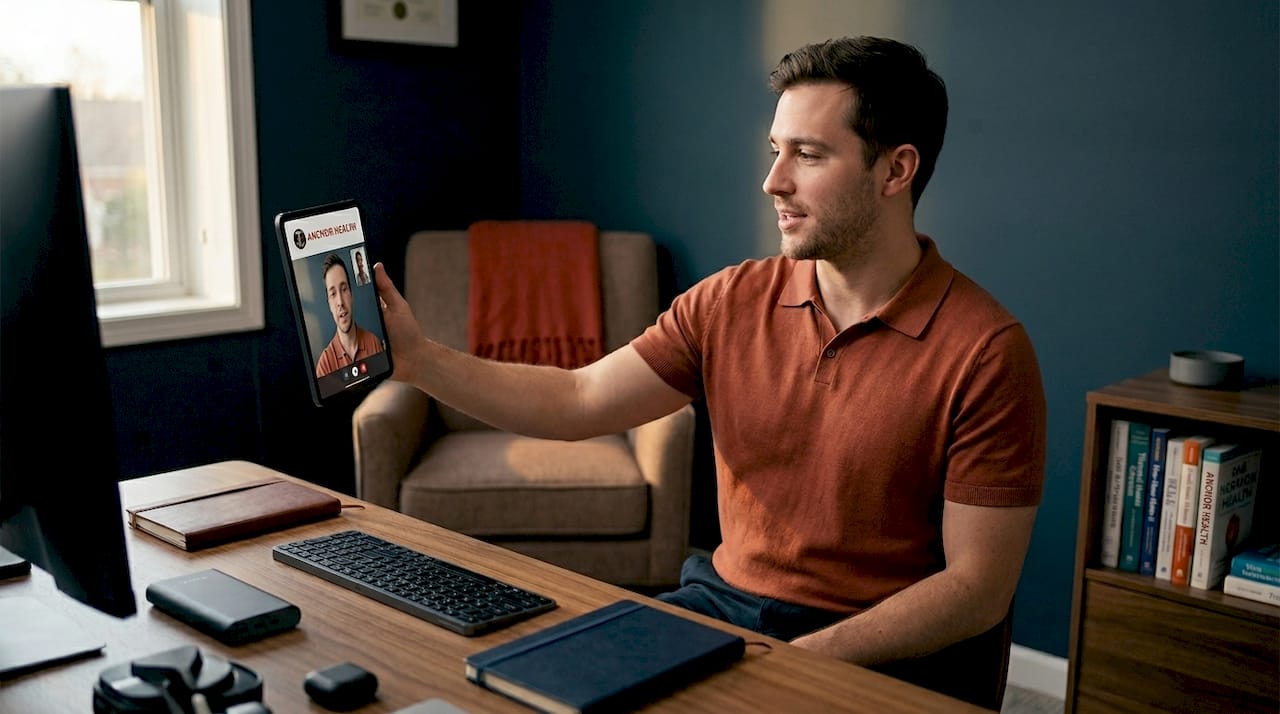
You need a device with a working camera and microphone. A smartphone, tablet, or laptop all work, but a laptop or tablet on a stable surface gives the provider the clearest view of your loved one. Platforms commonly used include Zoom for Healthcare, Doxy.me, and Microsoft Teams Health. Whichever platform your provider uses, download or test it at least 24 hours before the appointment. Check that your internet connection is stable, your device is fully charged or plugged in, and your camera and microphone permissions are enabled in the device settings.
| Item | Why it matters | Quick check |
|---|---|---|
| Device (laptop, tablet, or phone) | Provides camera and audio for the visit | Camera and mic enabled in settings |
| Stable internet connection | Prevents dropped calls and frozen video | Run a speed test before the visit |
| Telehealth platform installed | Required to join the session | Log in with a test call if available |
| Private, quiet space | Protects patient confidentiality | Close doors, inform others in the home |
| Pen and notepad | Captures instructions and follow-up steps | Prepared before the call starts |
Consent and scheduling coordination
Caregivers and family members can join telehealth appointments remotely or in person, but the health service must be notified at the time of scheduling. Call or message the provider’s office before the appointment to confirm your attendance. Telehealth consent requirements include obtaining and documenting consent for any caregiver or guest present during the session, particularly when the patient is a minor or a vulnerable adult. Ask the provider’s office whether written consent is needed in advance or whether verbal consent at the start of the call is sufficient. Getting this confirmed ahead of time prevents delays on the day of the appointment.
Pro Tip: Write down two or three specific questions or observations about your loved one’s health before the appointment. Providers have limited time, and a prepared caregiver helps the visit stay focused and thorough.
How can caregivers effectively support the virtual appointment?
Your active role during the session directly shapes the quality of care your loved one receives. Research shows that caregivers contribute information sharing, emotional support, and history taking during consultations, and these activities translate well to telehealth with the right preparation.
Follow this workflow to support the session from start to finish:
- Log in 5 to 10 minutes early. NSW virtual care guidance recommends early login to test audio and video before the provider joins. Use this time to help your loved one get comfortable and position the camera so their face is clearly visible.
- Introduce yourself at the start. State your name and your relationship to the patient as soon as the provider joins. This establishes your role and sets a collaborative tone.
- Assist with platform navigation. Help your loved one unmute, turn on their camera, or use the chat function if needed. Coaching patients on mic and camera permissions in real time is one of the most concrete ways caregivers reduce friction during sessions.
- Share relevant health information. Describe any changes in symptoms, medications, or behavior you have observed since the last visit. Caregivers often notice patterns the patient cannot articulate on their own.
- Take notes throughout the visit. Write down the provider’s instructions, medication changes, referrals, and follow-up dates. This record becomes the action plan after the call ends.
- Mute yourself when not speaking. Background noise disrupts the provider’s ability to hear the patient clearly. Use the mute button consistently and only speak when directly addressing the provider or when your loved one needs support.
- Respect patient autonomy. Allow your loved one to answer questions directly when they are able. Your role is to supplement, not replace, their voice.
Pro Tip: If your loved one has dementia or significant cognitive impairment, prepare a one-page health summary with current medications, recent symptoms, and emergency contacts. Share it with the provider via the platform’s chat or by email before the call.
What are the most common telehealth challenges for caregivers?
Even well-prepared caregivers encounter technical and logistical obstacles. Knowing the most common problems and their solutions in advance keeps the visit on track.
- Audio or video freezing: Ask your loved one to move closer to the router or switch from Wi-Fi to a mobile data connection. Closing other browser tabs and apps frees up bandwidth immediately.
- Camera or microphone not recognized: Restart the browser or app. Check that the platform has permission to access the camera and microphone in the device’s system settings, not just the browser settings.
- Provider cannot hear the patient: Confirm the correct microphone is selected in the platform’s audio settings. External microphones on earbuds often produce clearer sound than built-in laptop mics.
- Patient becomes distressed during the session: Pause the conversation, reassure your loved one calmly, and let the provider know you need a brief moment. Providers experienced in telehealth expect this and will wait.
- Medical emergency during the call: Safety protocols require caregivers to share the patient’s location with the provider at the start of the session so emergency services can be dispatched if needed. Keep the patient’s full address written near the device before every call.
When telehealth is not sufficient for a specific visit, a hybrid care model combining virtual and in-person appointments gives caregivers the flexibility to address what video cannot. Physical exams, wound assessments, and certain diagnostic tests require in-person care, and a good provider will tell you directly when that threshold is reached.
For pediatric visits specifically, review the telehealth for kids guide from Myanchorhealthpc to understand how virtual appointments differ for younger patients and what parents need to prepare.
How do privacy and consent work for caregivers in telehealth?
Privacy in telehealth is not automatic. It requires deliberate choices by the caregiver before and during the session.
The most important step is selecting a private space where the conversation cannot be overheard by others in the home. A closed bedroom or home office works well. Avoid common areas like kitchens or living rooms where other household members may pass through. This protects the patient’s confidentiality and satisfies the privacy standards required by HIPAA-covered providers.
Consent for caregiver attendance follows specific rules depending on the patient’s age and cognitive status. For minors, a parent or legal guardian typically provides consent automatically. For adults, the patient must give explicit permission for a caregiver to join, and this consent must be documented before the session begins. Some providers ask for this in writing; others record verbal consent at the start of the call. Confirm the process with the provider’s office in advance.
The table below compares caregiver roles in in-person versus telehealth visits across key privacy and consent dimensions.
| Dimension | In-person visit | Telehealth visit |
|---|---|---|
| Consent documentation | Signed form at check-in | Written or verbal consent before or at session start |
| Privacy environment | Controlled by clinic | Controlled by caregiver at home |
| Third-party presence | Visible to provider | Must be disclosed verbally |
| Emergency response | Clinic staff handle directly | Caregiver provides location; provider contacts emergency services |
| Information sharing | In-room conversation | Chat, verbal, or pre-sent documents |
Pre-planning caregiver and patient roles before the session is the most effective way to balance caregiver support with patient autonomy. Discuss with your loved one beforehand which topics you will address and which you will let them handle independently. This conversation protects their dignity and keeps the appointment focused.
Key takeaways
Caregivers who prepare their technology, confirm consent, and define their role before the session deliver measurably better support during virtual appointments.
| Point | Details |
|---|---|
| Notify the provider in advance | Inform the health service at scheduling that a caregiver will join the session. |
| Test technology before the visit | Check camera, microphone, and internet connection at least 24 hours ahead. |
| Document consent clearly | Confirm whether written or verbal consent is required for caregiver attendance. |
| Share the patient’s location | Provide the full address at the start of every session for emergency preparedness. |
| Balance support with autonomy | Let the patient speak for themselves when able; supplement rather than replace their voice. |
What I’ve learned from watching caregivers navigate telehealth
The caregivers who struggle most in virtual appointments are not the ones with the oldest devices or the slowest internet. They are the ones who walked in without a defined role. When a caregiver has not thought through what they are there to do, the visit drifts. The provider gets incomplete information. The patient feels talked over or, conversely, unsupported.
What actually works is treating the telehealth session the same way you would treat a specialist appointment you drove two hours to attend. You would not show up without questions. You would not let the time run out without confirming the follow-up plan. The same discipline applies here, and the first primary care visit checklist from Myanchorhealthpc is a practical starting point for building that habit.
The other thing worth saying plainly: patient autonomy matters even when the patient is struggling. A caregiver’s job is to amplify the patient’s voice, not replace it. The providers I respect most are the ones who address the patient directly, even when a caregiver is present. When you find a provider who does that consistently, you have found one worth staying with.
— Paule
Telehealth primary care that welcomes your whole family
Myanchorhealthpc is a Maryland-based telehealth primary care practice built around the Anchored Care℠ model, which means your family’s care is managed by a consistent provider who knows your history. Caregiver involvement is not an afterthought here. It is part of how we deliver thorough, relationship-based care for patients of every age.

If you are evaluating telehealth options for your family, the telehealth primary care guide from Myanchorhealthpc walks you through exactly what to look for in a provider who supports caregiver participation, accepts insurance, and prioritizes continuity over episodic care. Maryland families can book a secure video visit today.
FAQ
Can a caregiver join a telehealth appointment remotely?
Yes. Family members and caregivers can join telehealth appointments from a separate location as long as the health service is notified at the time of scheduling.
What technology does a caregiver need for a virtual health appointment?
A smartphone, tablet, or laptop with a working camera and microphone is sufficient. The caregiver should also test the telehealth platform and internet connection before the session.
Is consent required for a caregiver to attend a telehealth visit?
Consent must be obtained and documented before a caregiver joins a telehealth session, particularly for minors or vulnerable adults. Some providers require written consent; others accept verbal consent recorded at the start of the call.
What should a caregiver do if a medical emergency happens during a telehealth visit?
Caregivers should share the patient’s full address with the provider at the start of every session. If an emergency occurs, the provider can contact emergency services using that location information.
How can a caregiver help without taking over the appointment?
Prepare specific questions and health observations in advance, take notes during the session, and allow the patient to answer the provider’s questions directly when they are able. Supplement the patient’s account rather than speaking for them.
Recommended
- How to Choose Telehealth Primary Care for Your Family
- Telehealth for Kids Explained: What Parents Need to Know
Blog & Information Disclaimer
Last Updated: May 23, 2026
The information provided on the Anchor Health website (https://myanchorhealthpc.com/), including but not limited to blog posts, articles, newsletters, graphics, and other materials (collectively, the "Content"), is for general informational and educational purposes only.
By accessing and using this website, you acknowledge and agree to the following terms and conditions:
The Content on this website is not intended to be a substitute for professional medical advice, diagnosis, or treatment. Always seek the advice of your physician, nurse practitioner, or other qualified health provider with any questions you may have regarding a medical condition. Never disregard professional medical advice or delay in seeking it because of something you have read on this website.
Reading, interacting with, or sharing the Content on this website does not establish a patient-provider relationship between you and Anchor Health or any of its clinicians, including Paule Valery Joseph, PhD, MBA, CRNP, FAAN. A formal patient-provider relationship is only established after you have completed the formal intake process, signed our clinical consent forms, and participated in a secure clinical consultation.
If you are experiencing a medical emergency, call 911 or seek emergency medical services immediately.
Anchor Health is a primary care practice and does not provide emergency or crisis intervention services through its website or blog.
While Anchor Health strives to provide thoughtful, evidence-based information grounded in our Anchored Care℠ model, healthcare is a rapidly evolving field. We make no representations or warranties, express or implied, about the completeness, accuracy, reliability, or suitability of the information contained in the Content. Any reliance you place on such information is strictly at your own risk.
Anchor Health is a telehealth practice providing services to patients physically located within the state of Maryland. The information provided on this blog is intended for residents of Maryland and is governed by the laws and regulations of that state. Accessing this information from outside of Maryland does not imply that our clinicians are licensed to practice medicine or provide consultations in your jurisdiction.
Content related to Weight & Metabolic Health, including discussions of GLP-1 medications or other medical therapies, is provided for educational context regarding our clinical approach. Prescriptions and specific medical recommendations are only made following a comprehensive clinical evaluation, diagnostic testing, and shared decision-making within a formal patient-provider relationship.
This website may contain links to external websites that are not provided or maintained by or in any way affiliated with Anchor Health. Please note that Anchor Health does not guarantee the accuracy, relevance, timeliness, or completeness of any information on these external websites.
To the fullest extent permitted by law, Anchor Health, its owners, and its employees shall not be liable for any direct, indirect, incidental, consequential, or punitive damag
Related posts