Get Your Child Ready for a Telehealth Well-Child Checkup

A telehealth well-child checkup works well for developmental review, behavior and sleep questions, nutrition counseling, and medication checks, as long as you arrive prepared with the right measurements, a tested device, and a quiet space. Some parts of the visit, like vaccines and formal vision or hearing screens, will still need an in-person follow-up. Here’s what to have ready before the call starts.
- Test your device in advance: camera, microphone, and speakers, plus a strong Wi-Fi connection (Telehealth)
- Write out a current medication list, including doses, along with any allergies
- Take recent measurements if you have the tools: weight, height, and temperature
- Set up a quiet, well-lit room with a stable surface for the device
- Confirm your app or patient portal login works before the appointment time
One more thing worth knowing up front: if the clinician spots something that needs hands-on confirmation, like a heart murmur, an ear exam, or a vaccine that’s due, they’ll schedule an in-person visit. That’s not a sign the telehealth visit failed. It’s how coordinated pediatric care is supposed to work.
Key Takeaways
Telehealth well-child checks succeed when parents arrive with tested technology, recent measurements, a medication list, and a quiet space, while accepting that vaccines and certain screens still require an in-person visit.
| Point | Details |
|---|---|
| Test your setup early | Check camera, microphone, and Wi-Fi at least an hour before the appointment starts. |
| Gather numbers in advance | Weight, height, and temperature let the clinician track growth even without an office scale. |
| Prepare the room and the child | A quiet, well-lit space and a calm, briefed child both reduce mid-visit disruptions. |
| Expect some in-person follow-up | Vaccines, formal screens, and unclear exam findings typically require a scheduled office visit. |
| Anchor Health’s telehealth model | Anchored Care℠ᴵᴾ pairs your family with a consistent clinician for pediatric telehealth checkups, with insurance accepted and membership options available. |
Where to Verify This Guidance and Learn More
- Harvard Health: How to Make the Most of Your Child’s Telehealth Visit, covering measurement prep, photo tips, and device recommendations for pediatric video visits.
- Telehealth, a federal resource on testing equipment, accessibility requests, and general pre-visit steps.
- Mount Sinai: What to Expect at Your Child’s Telemedicine Well Visit, outlining which parts of a well visit telehealth covers and which require in-person care.
- Nemours KidsHealth: Telehealth, How to Prepare, a parent-friendly checklist covering app setup, medication lists, and triage uses of telehealth.
- Lurie Children’s Pediatric Telemedicine, practical clinical guidance on device use, login timing, and keeping younger children engaged during visits.
- NIA/NIH: Telehealth, What It Is, How to Prepare, Is It Covered, background on insurance coverage variability for telehealth appointments.
| Source | What it covers | Why it’s useful |
|---|---|---|
| Harvard Health | Measurement prep, photo technique, device setup | Detailed, clinician-reviewed pre-visit checklist |
| Telehealth.HHS.gov | General technical and accessibility prep | Federal, plain-language guidance for any telehealth visit |
| Mount Sinai | Scope of a pediatric telemedicine well visit | Clear breakdown of virtual versus in-person components |
| Nemours KidsHealth | App setup, medication lists, triage use cases | Parent-focused checklist with practical detail |
| Lurie Children’s | Login timing, device choice, child engagement | Pediatric-specific clinical perspective |
| NIA/NIH | Insurance coverage variability | Helps parents know what to ask their insurer |
This article is general information, not a substitute for advice from a qualified doctor. Consult a qualified healthcare professional about your own circumstances before acting on anything here.
Table of Contents
- What Does a Telehealth Well-Child Checkup Actually Cover?
- How Do I Prepare for a Telehealth Well-Child Visit Step by Step?
- How Do I Take Accurate Home Measurements for the Visit?
- What Should I Do During the Telehealth Video Visit?
- When Should You Schedule an In-Person Visit Instead?
- How Does Insurance Work, and What If the Technology Fails?
- How Anchor Health Runs Telehealth Well-Child Checkups
- How Should You Record Notes During the Visit?
- Ready to Book Your Child’s Telehealth Well-Child Checkup?
- Sources
What Does a Telehealth Well-Child Checkup Actually Cover?
Video visits handle more of the standard well-child check than most parents expect. Clinicians can review developmental milestones, talk through sleep and behavior patterns, counsel on nutrition, watch your child move and interact, and go over every medication on your list. They can also visually check skin, observe breathing patterns, and ask you to demonstrate specific movements so they get a fuller picture than a phone call alone would give them.
Other parts of the exam require equipment or contact that a camera can’t replace. Vaccinations obviously require an in-person visit, and so do formal hearing and vision screens, blood pressure readings, and growth percentiles when you don’t have a way to weigh and measure your child accurately at home. Detailed physical exams, like listening carefully to the heart and lungs or palpating the abdomen for something specific, also need a clinician’s hands.
According to guidance from Mount Sinai, telemedicine well visits reliably manage developmental, nutrition, and behavioral review along with visual observation, but some screens and immunizations still require the exam room. When a clinician can’t fully assess something through video, they’ll typically recommend the in-person piece as a short, targeted follow-up rather than repeating the entire visit.
| What telehealth handles well | What usually needs in-person care |
|---|---|
| Developmental screening and milestone review | Vaccinations and immunization updates |
| Sleep, behavior, and nutrition counseling | Formal hearing and vision screening |
| Medication and allergy review | Blood pressure measurement |
| Visual skin and movement observation | Growth percentiles without reliable home measurements |
| General question-and-answer with the clinician | Detailed physical exams (heart, lungs, abdomen) |
Clinicians make this call in real time. If your child’s home weight and height look off, or if something on camera raises a question that needs a stethoscope or otoscope to answer, the visit shifts from “complete” to “let’s confirm this in person.” That flexibility is part of what makes remotely checking child health both practical and safe.
How Do I Prepare for a Telehealth Well-Child Visit Step by Step?
Think of your prep in three windows: the night before, the hour before, and the final few minutes before the call connects.
The night before:
- Charge your device fully, or at least to a comfortable margin above 50%
- Gather documents: immunization record if it’s relevant to this visit, plus any medication bottles
- Weigh and measure your child if you have the tools at home
- Download the required app, or confirm your patient portal login works
- Add the appointment to your calendar with the video link saved somewhere easy to find
One hour before:
- Test your camera and microphone one more time
- Check your Wi-Fi signal strength in the room you plan to use
- Set up a quiet, well-lit spot with a stable surface, like a table or counter, for the device
- Pull out a quiet toy or activity to keep younger children occupied
Ten to fifteen minutes before:
- Log into the portal or app early rather than at the exact start time
- Complete any eCheck-in forms the practice sends ahead of the visit
- Have medications, allergy notes, and your measurement numbers within reach
- Open or print your list of questions so you don’t forget anything mid-conversation
- Mute or silence other devices in the room to avoid feedback and distraction
Pro Tip: If your child has a rash, mole, or other skin concern, take a few well-lit photos in advance and upload them to the patient portal before the visit starts. Clinicians often get a clearer look at fine detail from a still photo than from live video, especially if the child won’t hold still.
Preparing your child matters just as much as preparing the room. Tell them simply what’s going to happen: “We’re going to talk to the doctor on the computer, and she might ask you to walk around or show her your arm.” Giving them a small job, like holding up a favorite toy for the doctor to see, often turns nervous energy into cooperation. Skip introducing brand-new toys or screen time right before the call. A child who’s mid-meltdown over a new game is much harder to redirect than one following a familiar routine.
How Do I Take Accurate Home Measurements for the Visit?
Clinicians rely on your numbers to plot growth curves, so accuracy matters more than most parents realize. Harvard Health recommends having weight, height or length, and temperature ready whenever you can manage it, since those three numbers let the clinician track growth even without a scale in the exam room.
Weighing your child:
- Weigh yourself alone first on a standard household scale, and note the number
- Hold your child and weigh both of you together, in light clothing with no shoes
- Subtract your solo weight from the combined number to get your child’s weight
- For toddlers who can stand still, weigh them directly on the scale instead
Measuring length or height:
For infants who can’t stand, lay them flat on a firm surface, gently straighten the legs, and mark the top of the head and the bottom of the heel with a pencil or piece of tape, then measure the distance between the marks. For toddlers and older children, have them stand flat against a wall with no shoes, heels touching the baseboard, and mark the top of the head before measuring down to the floor.
Head circumference:
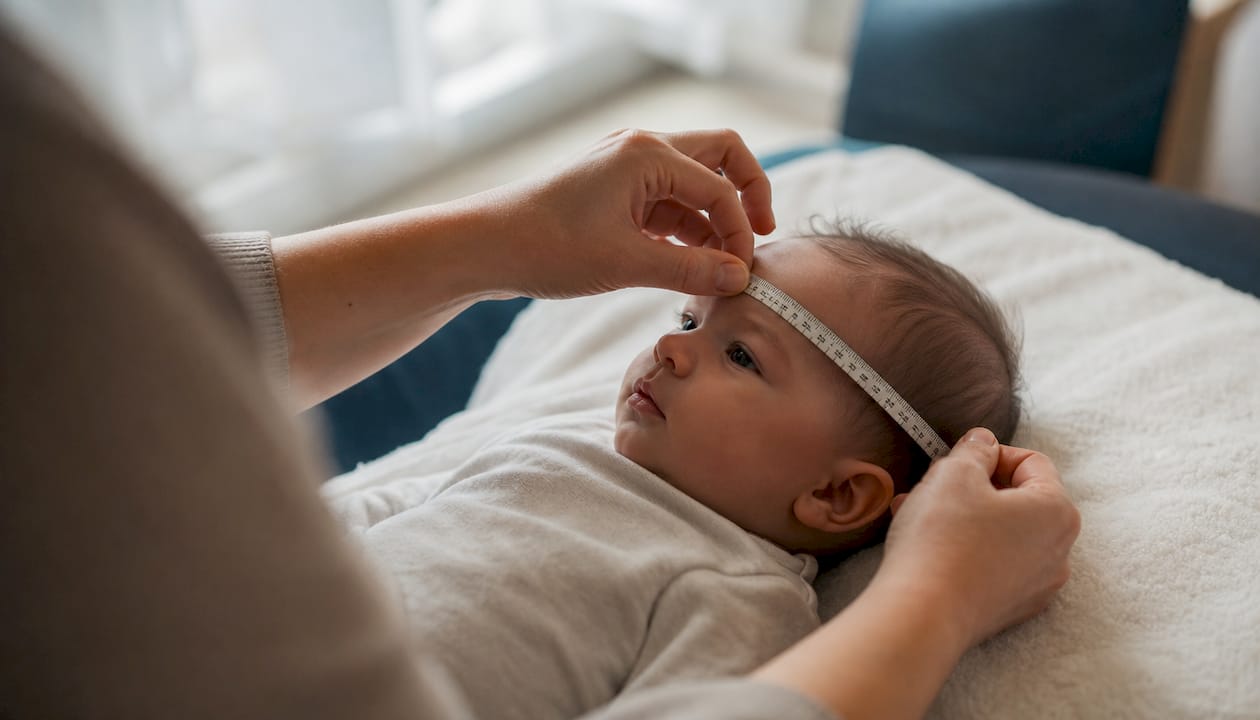
This one comes up less often but matters for infants under two. Wrap a soft, flexible tape measure around the widest part of the head, just above the eyebrows and ears, and record the measurement in inches or centimeters.
Temperature:
Axillary (armpit) readings work fine for a general check, while temporal (forehead) thermometers offer a quick, non-invasive option for squirmy toddlers. Oral thermometers are more accurate for children old enough to hold one under the tongue without biting down. Whichever method you use, tell the clinician which one you used, since axillary and oral readings can differ by close to a full degree.
| Measurement | What you need | Why it matters |
|---|---|---|
| Weight | Household bathroom scale | Tracks growth trends and helps confirm dosing for weight-based medications |
| Length or height | Flat wall, pencil, tape measure | Plots height percentile against previous well-child visits |
| Head circumference | Soft, flexible tape measure | Screens for typical brain growth in infants under two |
| Temperature | Digital or temporal thermometer | Flags fever and informs same-day clinical decisions |
Pro Tip: Snap a quick photo of your child on the scale or standing against the height mark, with the number visible. It gives you a backup record if you forget the exact figure once the call starts, and it’s a handy way to track growth between visits.
What Should I Do During the Telehealth Video Visit?
Camera positioning changes what a clinician can actually see, so it’s worth a minute of setup before the call connects. Place the device at roughly chest or eye height for your child, using a laptop or tablet propped on a stable surface rather than a handheld phone. A laptop or tablet also gives the clinician a wider field of view for watching movement or play, which matters more than most parents expect during developmental checks.
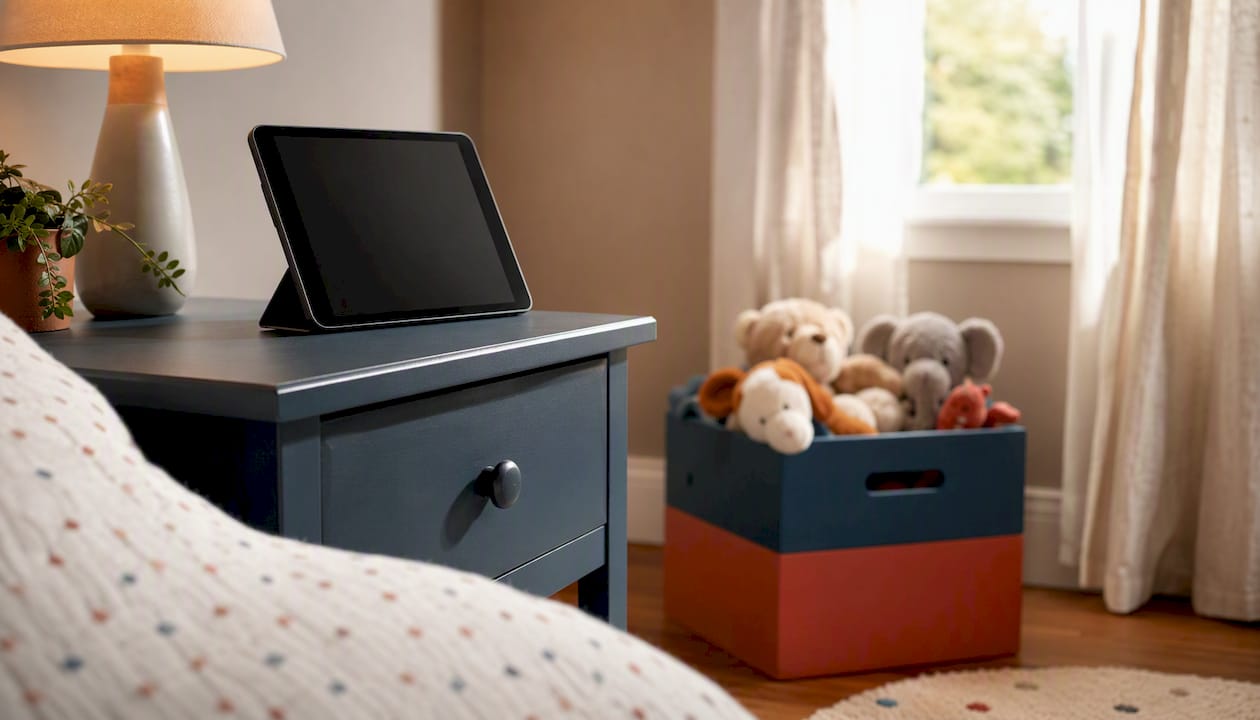
Light your child’s face from the front, not from behind, since backlighting from a window turns faces into silhouettes. For infants, a slightly wider framing that includes their whole body helps the clinician watch reflexes and movement patterns. For older kids, a head-and-shoulders view usually works fine unless the clinician asks for something specific.
Getting dressed for the visit:
- Choose loose, easily adjustable clothing, like a button-up shirt or short sleeves
- Avoid outfits that are hard to roll up or remove quickly for a skin check
- Keep a light blanket or extra layer nearby in case the room is cool
If your child has a rash or skin concern the clinician wants a closer look at, hold the area up to the camera at a comfortable distance first, then move in slowly for a close-up. Photos uploaded ahead of time, taken in natural daylight with your child holding still, often show more detail than what a moving camera can capture live.
Clinicians frequently ask for simple guided maneuvers during the visit: walking across the room, standing up from a chair without using hands, taking a deep breath, or pointing to where something hurts. A short script like “Can you walk over to the door and back for the doctor?” usually gets a cooperative response faster than a vague request.
If you have a teenager in the room, ask the clinician early on whether they’d like a few minutes of private conversation. Many pediatric practices build this into telehealth visits specifically so adolescents can speak candidly about mood, relationships, or other sensitive topics without a parent listening in.
Pro Tip: Keep a small, quiet toy or fidget item just off camera for younger siblings or a restless toddler. Redirecting them there instead of pausing the visit keeps the appointment moving without cutting the conversation short.
When Should You Schedule an In-Person Visit Instead?
Certain symptoms mean telehealth isn’t the right tool for the job, no matter how well you’ve prepared the room. Difficulty breathing, a high fever that won’t come down, signs of significant dehydration, unusual neurological symptoms like sudden confusion or weakness, and severe pain all call for in-person or emergency evaluation rather than a scheduled video visit.
Plenty of other reasons for in-person follow-up are routine and expected rather than urgent:
- Vaccinations that are due at this visit
- Formal hearing, vision, or blood pressure screening
- Growth percentile confirmation when home measurements weren’t reliable
- A physical finding on video that needs a stethoscope or hands-on exam to sort out
Nemours KidsHealth notes that telehealth works well for triaging issues like eye, skin, or respiratory concerns when getting to an office is difficult, though some situations still need equipment or lab work that only an in-person visit can provide. When your clinician recommends a follow-up, it usually means the video visit did its job. It flagged something worth a closer look, and now the two visits work together as one coordinated plan instead of a wasted trip.
How Does Insurance Work, and What If the Technology Fails?
Coverage for telehealth visits varies by insurer and by state, so it’s worth a quick call to your insurance company or the clinic’s billing office before the appointment to confirm how the visit will be billed and what your co-pay looks like, according to NIA/NIH guidance. Some plans treat a telehealth well-child check exactly like an office visit, while others apply different cost-sharing rules.
Ask before the visit:
- Is this telehealth visit billed the same as an in-person office visit?
- What’s my co-pay or self-pay cost if telehealth isn’t fully covered?
- Does my plan require a referral or prior authorization for telehealth pediatric care?
If your connection drops mid-visit, don’t panic. Follow these steps in order:
- Try rejoining through the same link first, since most drops are momentary
- Switch to an audio-only connection if video won’t reconnect
- Call the clinic’s front desk number if the app or portal won’t load at all
- Have a backup ready before the visit even starts, like a phone hotspot or a second device charged and logged in
If you need closed captioning, screen reader support, or an interpreter, request it through the patient portal a day or two ahead of time rather than scrambling for it once the call begins. Most practices can arrange these accommodations with a little notice, but not always on the spot.
How Anchor Health Runs Telehealth Well-Child Checkups
Anchor Health built its pediatric telehealth visits around a model we call Anchored Care℠ᴵᴾ, which prioritizes an ongoing relationship with your family over a rushed, one-off appointment. Instead of seeing a different provider every visit, you work with a consistent clinician who already knows your child’s history, medications, and growth pattern.
What families can expect from a visit with us:
- A secure video platform for the appointment, tested and simple to log into (setting up pediatric telehealth walks you through account setup in advance)
- Pre-visit eCheck-in so your history, medications, and questions are documented before the call starts
- A thorough review of growth measurements, medication doses, and developmental milestones during the visit itself
- Clear care coordination when something requires an in-person exam, vaccine, or lab test, with scheduling support rather than a vague referral
We accept insurance, and we also offer membership options for families who want longer visit times and more direct follow-up access between appointments. Beyond the visit itself, families can lean on educational resources like our sick child telehealth guidance for what to expect when a child is unwell rather than due for a routine check.
Pro Tip: If your child has never done a telehealth visit before, a quick trial login the day before, just to confirm the camera and portal work, saves real time on appointment day and keeps the actual visit focused on your child instead of tech troubleshooting.
How Should You Record Notes During the Visit?
Keep a notebook or a notes app open during the call so you can jot down anything the clinician mentions in real time, especially dosing instructions, growth numbers, or follow-up recommendations. It’s easy to remember the gist of a conversation and forget the specific number or timeline a few hours later.
If your platform allows visit recording, ask the clinician for permission before turning it on. Some practices support recording through the patient portal itself, which keeps a permanent, HIPAA-secure record you can revisit later rather than relying on a personal phone recording, which raises its own privacy and storage concerns. When recording isn’t an option, a simple three-column note works well: what the clinician said, what you’re supposed to do about it, and by when. That structure turns a fast-moving conversation into something you can actually act on once the call ends.
Save any written after-visit summary the portal generates, and file it alongside your child’s immunization record and prior measurements. Over several well-child checks, that running file becomes a genuinely useful reference for tracking growth trends and catching patterns a single visit might miss.
A Practical Note From the Front Lines of Pediatric Telehealth
Parents often walk into their first telehealth well-child check assuming it will feel like a lesser version of the real thing. What usually happens instead is that a well-prepared 20 minute video call covers more ground than parents expect, especially when it comes to the questions that actually keep them up at night: sleep struggles, picky eating, screen time limits, developmental worries. Those conversations don’t need a stethoscope. They need time and a clinician who’s paying attention, which video visits deliver just as well as an exam room chair.
The single most useful habit we see from prepared families is keeping a small, quiet toy just out of frame for younger children. It sounds minor, but a toddler who’s occupied for the first five minutes of small talk gives the clinician and parent time to cover history and questions before the child needs full attention for the hands-on parts of the visit. That small logistical trick often makes the difference between a visit that feels rushed and one that feels thorough.
Ready to Book Your Child’s Telehealth Well-Child Checkup?
If you’ve read this far, you already know what a prepared telehealth well-child visit looks like: tested tech, current measurements, a medication list, and a quiet room. Anchor Health’s pediatric telehealth visits are built to make the most of that preparation, pairing you with a consistent clinician who reviews your child’s growth, development, and medications with the same attention you’d expect from an in-person exam room, minus the waiting room and the drive.
We accept insurance for pediatric telehealth visits, and our membership option gives families longer appointment windows and easier follow-up access between checkups, which matters most for parents juggling school schedules and work calls. If a piece of your child’s care needs an in-person follow-up, like a vaccine or a screening, we coordinate that scheduling directly rather than leaving you to figure it out on your own. When you’re ready, you can choose telehealth primary care built around your family’s needs and get your child’s next well-child checkup on the calendar.
Sources
- How to make the most of your child’s telehealth visit – Harvard Health
- Telehealth
- What to Expect at Your Child’s Telemedicine Well Visit – Mount Sinai
- Telehealth: How to prepare — Nemours KidsHealth
- Pediatric Telemedicine | Lurie Children’s
Recommended
- How Telehealth Handles Sick Child Visits for Families
- Pediatric Annual Checkup Checklist for Parents
- How to Establish Pediatric Care Telehealth for Your Family
- Telehealth for Kids Explained: What Parents Need to Know
Blog & Information Disclaimer
Last Updated: May 23, 2026
The information provided on the Anchor Health website (https://myanchorhealthpc.com/), including but not limited to blog posts, articles, newsletters, graphics, and other materials (collectively, the "Content"), is for general informational and educational purposes only.
By accessing and using this website, you acknowledge and agree to the following terms and conditions:
The Content on this website is not intended to be a substitute for professional medical advice, diagnosis, or treatment. Always seek the advice of your physician, nurse practitioner, or other qualified health provider with any questions you may have regarding a medical condition. Never disregard professional medical advice or delay in seeking it because of something you have read on this website.
Reading, interacting with, or sharing the Content on this website does not establish a patient-provider relationship between you and Anchor Health or any of its clinicians, including Paule Valery Joseph, PhD, MBA, CRNP, FAAN. A formal patient-provider relationship is only established after you have completed the formal intake process, signed our clinical consent forms, and participated in a secure clinical consultation.
If you are experiencing a medical emergency, call 911 or seek emergency medical services immediately.
Anchor Health is a primary care practice and does not provide emergency or crisis intervention services through its website or blog.
While Anchor Health strives to provide thoughtful, evidence-based information grounded in our Anchored Care℠ model, healthcare is a rapidly evolving field. We make no representations or warranties, express or implied, about the completeness, accuracy, reliability, or suitability of the information contained in the Content. Any reliance you place on such information is strictly at your own risk.
Anchor Health is a telehealth practice providing services to patients physically located within the state of Maryland. The information provided on this blog is intended for residents of Maryland and is governed by the laws and regulations of that state. Accessing this information from outside of Maryland does not imply that our clinicians are licensed to practice medicine or provide consultations in your jurisdiction.
Content related to Weight & Metabolic Health, including discussions of GLP-1 medications or other medical therapies, is provided for educational context regarding our clinical approach. Prescriptions and specific medical recommendations are only made following a comprehensive clinical evaluation, diagnostic testing, and shared decision-making within a formal patient-provider relationship.
This website may contain links to external websites that are not provided or maintained by or in any way affiliated with Anchor Health. Please note that Anchor Health does not guarantee the accuracy, relevance, timeliness, or completeness of any information on these external websites.
To the fullest extent permitted by law, Anchor Health, its owners, and its employees shall not be liable for any direct, indirect, incidental, consequential, or punitive damag
Related posts