How to Manage Diabetes Care Through Telehealth
Managing diabetes care through telehealth means using secure video visits, remote glucose monitoring, and virtual care coordination to achieve clinical outcomes that match or exceed traditional in-person treatment. Randomized controlled trials confirm that telehealth and hybrid care models improve HbA1c and blood pressure control over periods ranging from 10 to 84 weeks. This is not a workaround for people who cannot get to a clinic. It is a clinically validated model that reduces the burden of frequent office visits while keeping your care continuous and personalized. Tools like continuous glucose monitors (CGMs), secure patient portals, and synchronous video platforms are the foundation of this approach.
What technology do you need to manage diabetes care through telehealth?
The right devices make the difference between data that guides your care and data that never reaches your provider. Three categories of tools matter most: glucose monitoring devices, communication platforms, and data-sharing systems.
Glucose monitoring devices
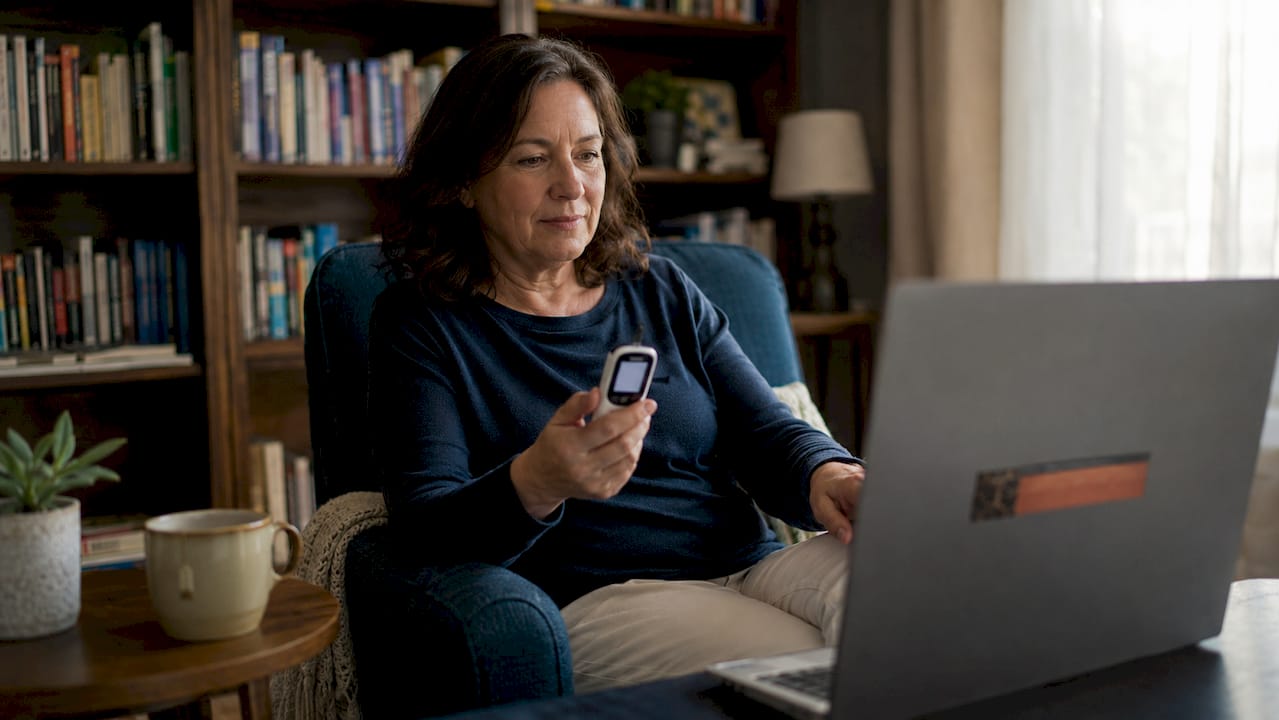
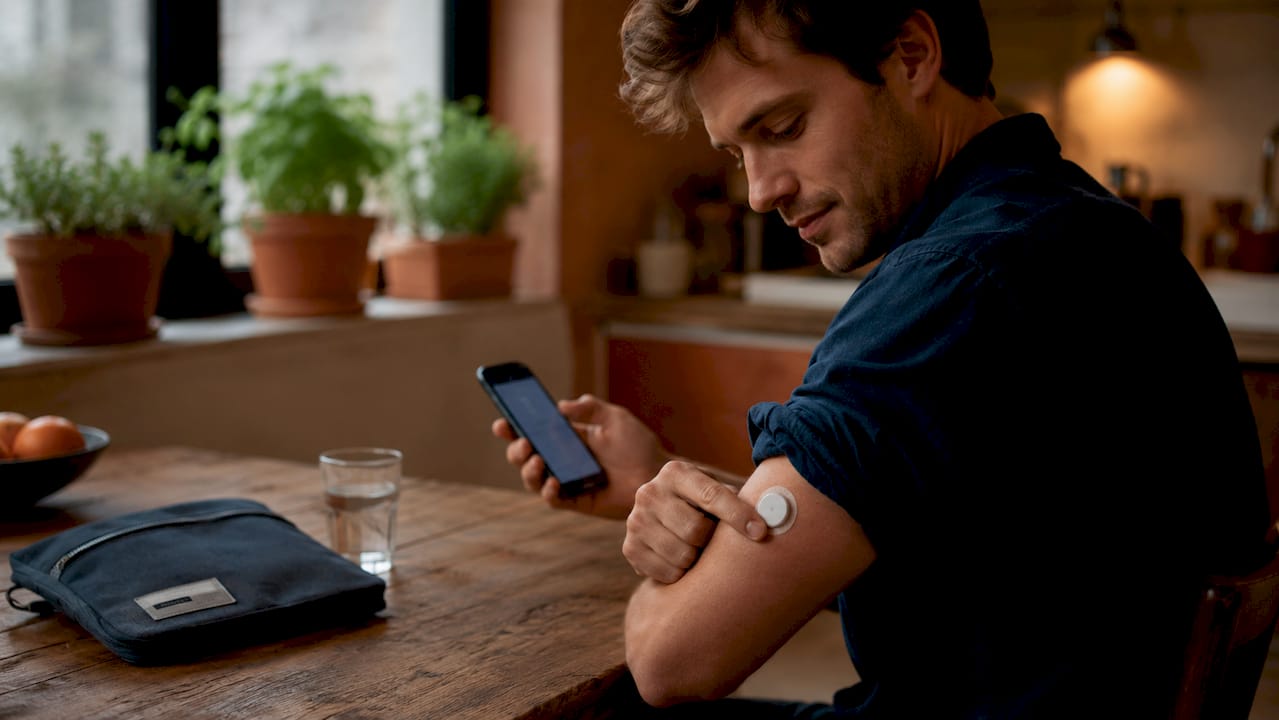
CGMs like the Dexterity G7 and Abbott FreeStyle Libre 3 track glucose continuously and transmit readings to paired apps. Traditional glucometers still work well for telehealth when paired with a Bluetooth-enabled logging app. The key requirement is that your device must be able to export data in a format your provider can read.
Communication platforms and portals
Real-time, two-way audio and video is required for Medicare reimbursement of Diabetes Self-Management Training (DSMT) delivered via telehealth as of 2026. That means a stable internet connection and a device with a working camera and microphone are non-negotiable. Platforms like Zoom for Healthcare, Doxy.me, and proprietary patient portals all meet this standard.
Compatibility and data sharing
Many patients assume their connected devices share data automatically. They do not. You must verify that your CGM or glucometer syncs with your provider’s electronic health record (EHR) and actively grant the required data-sharing permissions. Skipping this step is the most common technical failure in remote diabetes care.
| Tool | Function | Example |
|---|---|---|
| Continuous glucose monitor | Real-time glucose tracking | Abbott FreeStyle Libre 3, Dexterity G7 |
| Glucometer with Bluetooth | Manual glucose logging with app sync | Contour Next One |
| Telehealth video platform | Synchronous provider consultations | Doxy.me, Zoom for Healthcare |
| Patient portal or app | Medication logs, lab uploads, messaging | MyChart, provider-specific portals |
| Blood pressure monitor | Remote vitals tracking | Omron Evolv |
Pro Tip: Before your first telehealth visit, open your CGM app and confirm it shows a “share” or “export” option. If you cannot find it, call your device manufacturer’s support line. Fixing this before your appointment saves your entire visit from being spent on tech troubleshooting.
How to prepare for a telehealth diabetes visit
Preparation is the single biggest factor in visit quality. A well-prepared patient gets a care plan. An unprepared patient gets a data-collection session.
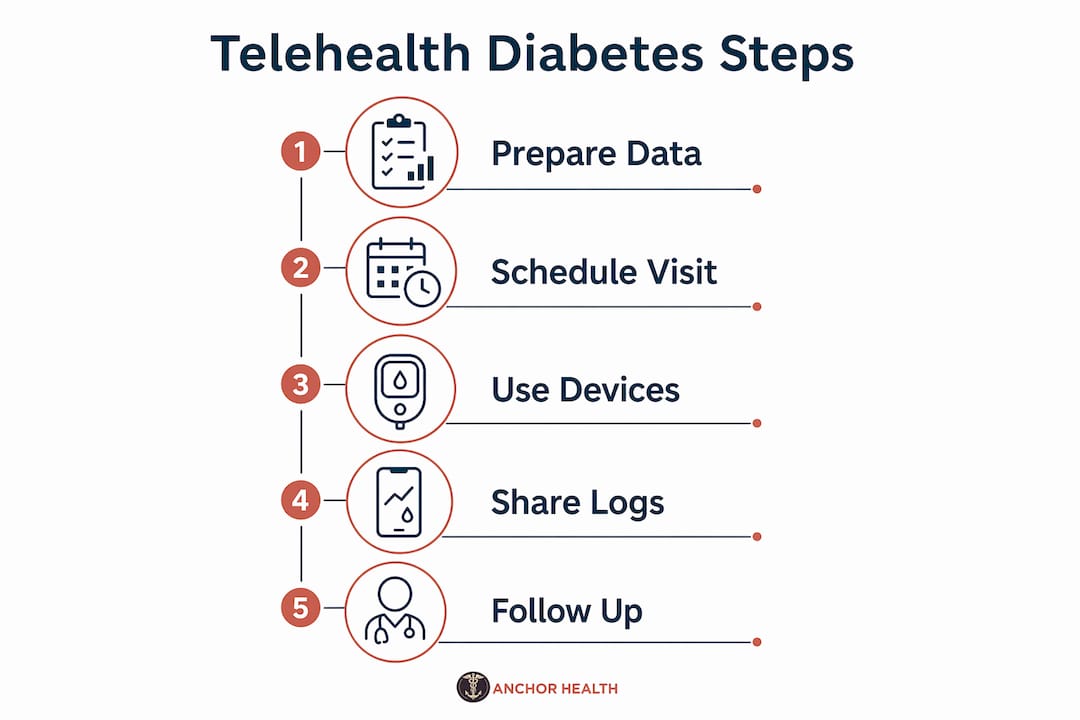
Follow these steps before every telehealth diabetes appointment:
- Compile your glucose log. Export the last 14–30 days of readings from your CGM app or glucometer. Most apps allow a PDF or CSV export directly to your email.
- Gather your lab results. Your most recent HbA1c, kidney function panel, and lipid panel should be uploaded to your patient portal. Uploading labs 24 hours in advance gives your provider time to review trends before the visit starts.
- Update your medication list. Include dosages, timing, and any recent changes. Note any medications you have skipped or adjusted on your own.
- Log your weight and blood pressure. If you have a home blood pressure cuff, record three readings taken on different days in the week before your visit.
- Write down your questions. Prioritize them. You will cover more ground if your top concern is stated in the first two minutes of the visit.
- Test your technology. Open your video platform 15 minutes early. Check your camera, microphone, and internet speed. A wired connection is more reliable than Wi-Fi for video calls.
Organizing a complete data packet before your appointment shifts the visit from data collection to problem-solving. Your provider can focus on interpreting trends and adjusting your plan rather than asking basic questions.
Pro Tip: Keep a running notes document on your phone between visits. Log symptoms, unusual glucose spikes, or side effects as they happen. Reviewing this list before your appointment takes two minutes and gives your provider context that a glucose chart alone cannot provide.
How does remote diabetes management work step by step?
Understanding the full workflow helps you stay in control between visits, not just during them.
Between appointments
- Sync your CGM or glucometer daily so your data stays current in your provider’s system.
- Use your patient portal’s secure messaging feature for questions that do not require a full visit. Asking about a single insulin dose adjustment or a new symptom through messaging is faster and less disruptive than scheduling a new appointment.
- Asynchronous communication for daily dose adjustments reduces patient anxiety between visits and supports more frequent, low-burden contact with your care team.
- Log food, exercise, and sleep in your health app consistently. Gaps in this data make trend analysis harder for your provider.
During the virtual visit
- Open with your top concern. State it clearly in the first minute. This sets the agenda.
- Walk through your glucose trends together. Share your screen if your platform allows it, or describe the patterns you have noticed.
- Review your medication list with your provider. Confirm dosages and flag anything that feels off.
- Ask for your updated care plan in writing. Most portals allow providers to send visit summaries and updated instructions directly to your account.
- Schedule your next appointment before you log off. Continuity matters in diabetes management. A gap in care often means a gap in control.
Telehealth with individualized coaching messages enables frequent, low-burden communication that improves outcomes beyond what traditional in-person visits alone can achieve. The model works because contact is consistent, not just intensive.
What are the most common telehealth diabetes challenges?
Remote diabetes care has real barriers. Knowing them in advance means you can solve them before they disrupt your care.
- Technology mismatch. The biggest barrier to successful telehealth diabetes management is aligning device complexity with your actual digital literacy and physical abilities. A CGM that requires a smartphone app is not the right tool for someone who does not use a smartphone regularly. Choose devices that match your comfort level, not the most advanced option available.
- Connectivity problems. A dropped video call mid-visit is frustrating and can delay care decisions. Use a wired Ethernet connection when possible. If Wi-Fi is your only option, position yourself close to the router and close other browser tabs before the visit.
- Inaccurate or missing data. Data gaps happen when devices are not synced or permissions are not granted. Check your sync status the day before every appointment, not the morning of.
- Missed appointments due to tech failures. If a technical problem causes you to miss a visit, contact your provider’s office immediately by phone or portal message. Most practices have a rescheduling protocol for tech-related cancellations. Do not wait for them to reach out to you.
- Motivation and engagement over time. Telehealth programs require consistent self-monitoring. Mobile health-enabled telemedicine reduces psychological and economic burden significantly, particularly for patients managing insulin-dependent diabetes. That reduction in burden is real, but it still requires you to show up consistently.
Pro Tip: Set a weekly 10-minute calendar reminder to sync your devices, review your glucose trends, and send any questions to your care team. This habit keeps your data current and your provider informed without requiring extra appointments.
For broader guidance on managing chronic conditions remotely, structured frameworks from telehealth specialists offer additional context on building sustainable virtual care routines.
Key takeaways
Telehealth diabetes management produces clinical outcomes comparable or superior to in-person care when patients use the right tools, prepare thoroughly, and maintain consistent communication with their provider.
| Point | Details |
|---|---|
| Clinical outcomes are comparable | Randomized trials confirm telehealth matches or improves HbA1c and blood pressure control. |
| Technology matching is critical | Choose devices that fit your digital literacy, not the most advanced option available. |
| Preparation drives visit quality | Upload labs, glucose logs, and medication lists at least 24 hours before every appointment. |
| Asynchronous messaging fills the gaps | Use secure portal messaging between visits for dose questions and symptom updates. |
| Consistent data sync prevents errors | Verify device permissions and sync status before every appointment to avoid data gaps. |
Telehealth for diabetes: what I have learned from working with patients
I want to be direct about something most articles on this topic avoid. Telehealth is not automatically easier than in-person care. For some patients, it is harder at first. The self-monitoring discipline required between visits is real, and the technology setup can feel like a barrier before it feels like a benefit.
What I have seen work consistently is this: patients who treat their telehealth visits like a prepared business meeting get far more out of them than patients who log on and wait to be asked questions. The structure of a virtual visit rewards preparation in a way that an in-person appointment sometimes does not, because the provider cannot observe you in a waiting room or notice a physical detail you forgot to mention.
The other thing worth saying plainly is that telehealth works best as part of a continuous care relationship, not as a series of one-off consultations. Diabetes management is a long game. The value of a consistent provider who knows your history, your patterns, and your goals compounds over time. A provider who sees you every three months via video and receives your glucose data in between knows your diabetes better than one who sees you once a year in person.
The future of chronic care management will integrate telehealth as a standard layer of care, not a backup option. Patients who build the habits now, including regular data syncing, proactive messaging, and prepared visits, will be ahead of that shift.
— Paule
How Myanchorhealthpc supports your diabetes care remotely
Managing diabetes well requires a provider who knows you, not just your chart. Myanchorhealthpc is a Maryland-based telehealth primary care practice built on exactly that model. Through secure video visits and the Anchored Care℠ᴵᴾ framework, we provide continuous, relationship-based care for patients managing chronic conditions like diabetes. That means consistent access to a provider who reviews your glucose trends, adjusts your care plan, and responds to your questions between appointments.
If you are ready to find a telehealth primary care provider who supports your long-term diabetes management, explore your telehealth care options and learn what to look for in a provider who will stay with you through every stage of your care.
FAQ
Can telehealth replace in-person diabetes care entirely?
Telehealth produces clinical outcomes comparable or superior to in-person care for most diabetes management needs, but some situations, such as physical exams or lab draws, still require an in-person visit.
What devices do I need for telehealth diabetes management?
You need a CGM or glucometer that syncs with an app, a device with a camera and microphone for video visits, and access to your provider’s patient portal for data sharing and messaging.
How do I share my glucose data with my telehealth provider?
Export your glucose log from your CGM app or glucometer as a PDF or CSV file and upload it to your patient portal at least 24 hours before your appointment, as pre-visit data sharing improves care plan adherence and visit efficiency.
Does Medicare cover telehealth diabetes management?
Medicare reimburses Diabetes Self-Management Training delivered through synchronous telehealth, which requires real-time two-way audio and video, as of 2026. Some plans also cover asynchronous communication depending on your specific coverage.
What should I do if my technology fails during a telehealth visit?
Contact your provider’s office immediately by phone or secure portal message to reschedule. Most telehealth practices have a clear protocol for tech-related cancellations, and you should also review best practices for online visits to prevent the same issue from recurring.
Recommended
- Telehealth Benefits for Busy Caregivers in 2026
- How to Attend a Telehealth Visit as a Caregiver
- How Telehealth Works for College Students in 2026
- How Telehealth Handles Sick Child Visits for Families
Blog & Information Disclaimer
Last Updated: May 23, 2026
The information provided on the Anchor Health website (https://myanchorhealthpc.com/), including but not limited to blog posts, articles, newsletters, graphics, and other materials (collectively, the "Content"), is for general informational and educational purposes only.
By accessing and using this website, you acknowledge and agree to the following terms and conditions:
The Content on this website is not intended to be a substitute for professional medical advice, diagnosis, or treatment. Always seek the advice of your physician, nurse practitioner, or other qualified health provider with any questions you may have regarding a medical condition. Never disregard professional medical advice or delay in seeking it because of something you have read on this website.
Reading, interacting with, or sharing the Content on this website does not establish a patient-provider relationship between you and Anchor Health or any of its clinicians, including Paule Valery Joseph, PhD, MBA, CRNP, FAAN. A formal patient-provider relationship is only established after you have completed the formal intake process, signed our clinical consent forms, and participated in a secure clinical consultation.
If you are experiencing a medical emergency, call 911 or seek emergency medical services immediately.
Anchor Health is a primary care practice and does not provide emergency or crisis intervention services through its website or blog.
While Anchor Health strives to provide thoughtful, evidence-based information grounded in our Anchored Care℠ model, healthcare is a rapidly evolving field. We make no representations or warranties, express or implied, about the completeness, accuracy, reliability, or suitability of the information contained in the Content. Any reliance you place on such information is strictly at your own risk.
Anchor Health is a telehealth practice providing services to patients physically located within the state of Maryland. The information provided on this blog is intended for residents of Maryland and is governed by the laws and regulations of that state. Accessing this information from outside of Maryland does not imply that our clinicians are licensed to practice medicine or provide consultations in your jurisdiction.
Content related to Weight & Metabolic Health, including discussions of GLP-1 medications or other medical therapies, is provided for educational context regarding our clinical approach. Prescriptions and specific medical recommendations are only made following a comprehensive clinical evaluation, diagnostic testing, and shared decision-making within a formal patient-provider relationship.
This website may contain links to external websites that are not provided or maintained by or in any way affiliated with Anchor Health. Please note that Anchor Health does not guarantee the accuracy, relevance, timeliness, or completeness of any information on these external websites.
To the fullest extent permitted by law, Anchor Health, its owners, and its employees shall not be liable for any direct, indirect, incidental, consequential, or punitive damag
Related posts