How to Communicate Care Needs to Your Telehealth Provider
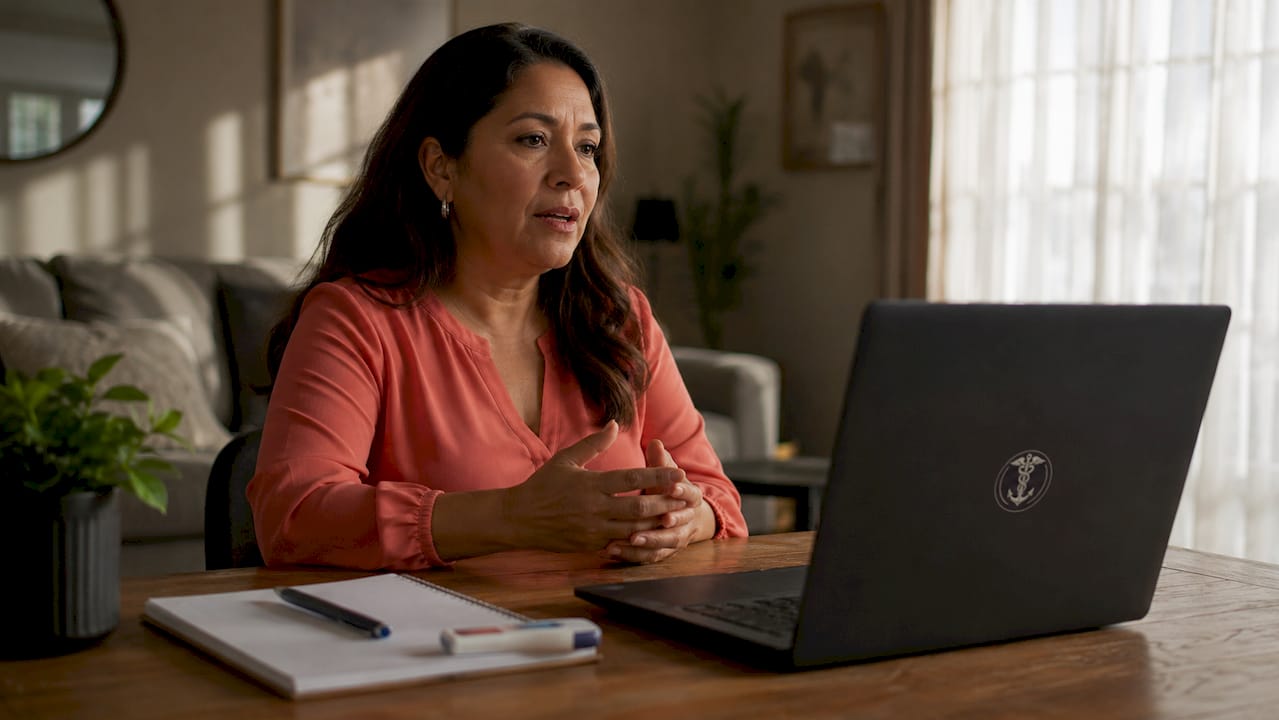
Effective patient-provider communication in telehealth is defined as the structured exchange of health information between a patient and a licensed clinician through a secure video platform. When you communicate care needs to a telehealth provider clearly, your provider spends less time gathering basic facts and more time addressing what actually matters to you. Telehealth visits typically last 10–20 minutes, which means preparation is not optional. That narrow window rewards patients who arrive organized and penalizes those who do not. Myanchorhealthpc builds its Anchored Care℠ᴵᴾ model around exactly this kind of prepared, relationship-centered interaction.
What information should you prepare before your telehealth appointment?
Preparation is the single biggest factor in a productive telehealth visit. Providers cannot read your chart in real time and ask follow-up questions the way an in-person visit allows. You carry the responsibility of arriving with the right information ready to share.
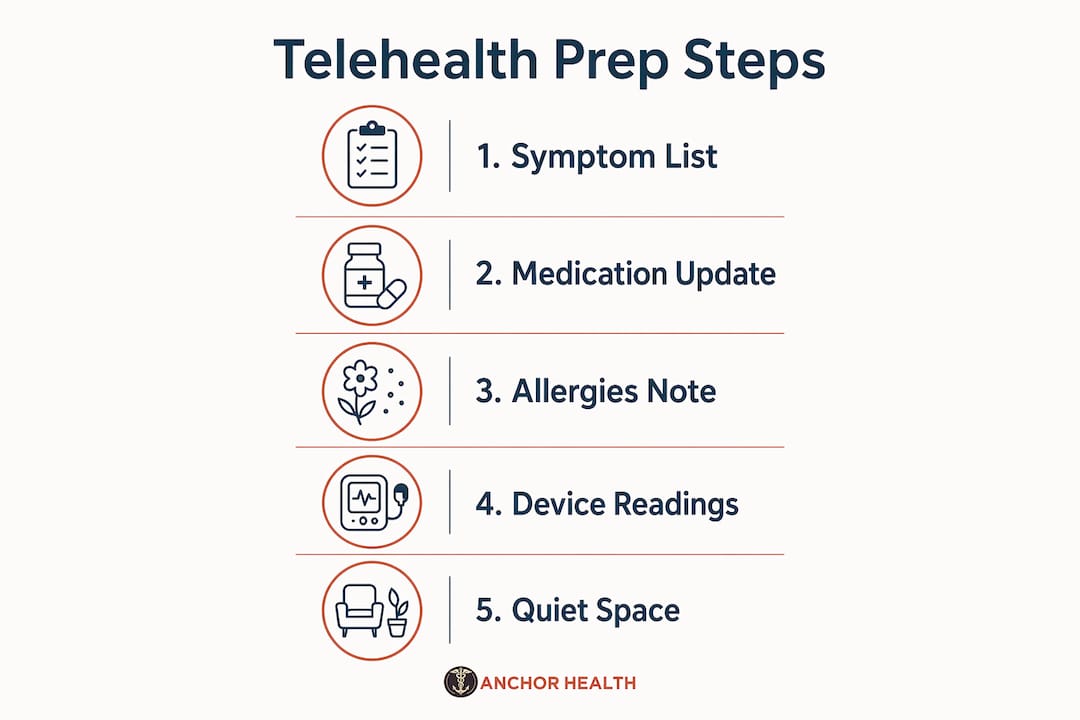
Patients should prepare at least 30 minutes before their telehealth visit. That half hour is enough time to gather everything your provider needs to make sound clinical decisions.
Start by building a written list that covers four categories:
- Current symptoms: When did they start, how severe are they on a scale of 1–10, and what makes them better or worse?
- Medications: Name, dose, and frequency for every prescription, supplement, and over-the-counter drug you take.
- Allergies: Drug allergies and the reaction you experienced, not just the drug name.
- Questions: Write down your top three concerns in priority order so you address the most pressing one first.
Beyond the list, gather any home device readings you have taken recently. Blood pressure logs, blood glucose readings, and pulse oximeter numbers give your provider objective data that a symptom description alone cannot replace. Have your insurance card and pharmacy information nearby as well.
Pro Tip: Use your patient portal to update your medication list and allergy history before the visit. Providers at Myanchorhealthpc review portal records ahead of the call, which saves several minutes of intake time.
The table below shows what to prepare and why each item matters.
| Item to prepare | Why it matters |
|---|---|
| Written symptom list | Prevents forgetting key details under pressure |
| Medication bottles or list | Allows accurate dosage review and interaction checks |
| Home device readings | Provides objective clinical data |
| Insurance and pharmacy info | Avoids delays in prescriptions or referrals |
| Top 3 questions, ranked | Keeps the visit focused on your real priorities |
A good first primary care visit checklist covers all of these items in detail and is worth reviewing before any new provider appointment.
How do you set up your telehealth environment for clear communication?
Your physical environment shapes how well your provider hears and sees you. A poor setup creates barriers that no amount of preparation can overcome.
Follow these steps before every telehealth visit:
- Choose a private, quiet room. Close the door, silence notifications, and let others in your home know you are unavailable for the duration of the call.
- Position yourself facing a light source. Natural light from a window in front of you, not behind you, keeps your face clearly visible on camera.
- Test your internet connection. A wired connection is more reliable than Wi-Fi. If you use Wi-Fi, sit close to your router and close unused browser tabs.
- Check your camera and microphone. Use your device’s built-in settings or a quick video test call to confirm both work before the appointment starts.
- Set your camera at eye level. Propping your laptop on books or using a stand prevents the unflattering and distracting angle of looking down at the screen.
- Have your prepared materials within reach. Your medication list, symptom notes, and device readings should be on the desk, not across the room.
Pro Tip: Log into the telehealth platform five minutes early. Technical issues discovered at the scheduled start time eat into your clinical time, not the provider’s.
A calm, organized environment also makes it easier for you to speak openly. Patients who feel private and comfortable share more accurate information, which directly improves the quality of care they receive.

How to communicate effectively during your telehealth visit?
The first 60 seconds of your visit set the tone for everything that follows. Open with a brief, direct statement of your main concern rather than a long story. Summarizing your reason for the visit in 2–3 sentences focused on your most pressing concern is the standard recommended approach for efficient telehealth communication.
“I’ve had a sharp pain in my lower right back for five days. It’s a 7 out of 10 at its worst and doesn’t improve with ibuprofen. I want to understand what’s causing it and what my options are.”
That kind of opening gives your provider a clinical anchor. They know the location, duration, severity, and your goal within three sentences. Compare that to starting with a full medical history recap, which consumes time without adding clinical value.
During the visit, keep these practices in mind:
- Look at the camera, not the screen. Eye contact through the lens builds trust and signals engagement, even through a screen.
- Use plain language. Say “chest tightness” instead of “angina.” Your provider will use the clinical term if needed.
- Ask for clarification immediately. If a diagnosis or instruction is unclear, say so before the call ends. Waiting to message later is less effective.
- Raise disagreements in real time. Negotiating care plans during the video call produces better outcomes than sending a follow-up message after the visit.
- Confirm next steps before signing off. Repeat back what you understood: the diagnosis, the treatment plan, and any tests or referrals ordered.
Patients managing ongoing conditions benefit from reviewing chronic disease telehealth management tips to refine how they present recurring symptoms over multiple visits.
What steps should you follow after your telehealth appointment?
The visit ends, but your role in the communication process does not. What you do in the 24–48 hours after the call directly affects the accuracy of your health record and the continuity of your care.
Follow these steps after every telehealth appointment:
- Read your clinical notes within 1–2 days. Under the 21st Century Cures Act, patients have the right to access clinical notes within 1–2 days of their visit. Reading them promptly lets you catch errors while the conversation is still fresh.
- Request corrections for factual errors. If a note lists the wrong medication dose or misidentifies a symptom, contact your provider’s office and request an addendum. Inaccurate records affect future care decisions.
- Complete any ordered next steps. Schedule lab work, fill prescriptions, or book specialist referrals within the timeframe your provider specified.
- Use secure messaging for non-urgent follow-up questions. Secure messaging reduces adverse events by 37% compared to phone calls for non-urgent medication questions. That reduction reflects the value of a documented, reviewable communication trail.
- Expect a response within 24–72 hours. Standard response time for non-urgent portal messages is 24–72 hours. Plan accordingly and do not send urgent concerns through the portal.
Secure messaging also produces a 41% higher patient satisfaction rate compared to other follow-up methods. That figure reflects how much patients value having a written record of their provider’s guidance.
What common mistakes should you avoid when communicating care needs via telehealth?
Even well-prepared patients make avoidable errors that reduce visit quality. Recognizing these patterns before your appointment helps you sidestep them.
- Using non-urgent messaging for emergencies. 15% of patients misuse secure messaging for emergency symptoms, causing dangerous treatment delays. If you have chest pain, difficulty breathing, or signs of a stroke, call 911 or go to an emergency room immediately.
- Reciting your full medical history during the visit. Your provider has access to your chart. A full history recap wastes clinical time. Focus on what is new or changing.
- Relying solely on memory. Having actual medication bottles and home readings during the call prevents dosage errors and missed details that memory alone cannot catch.
- Waiting until after the call to voice concerns. If something your provider says does not make sense, say so during the visit. Post-visit messages are slower and less precise than real-time dialogue.
- Using unsecured channels to share health information. 70% of healthcare data breaches occur through unsecured messaging. Never share symptoms, medications, or test results through standard text messages or personal email.
- Getting distracted by technology during the call. Notifications, incoming calls, and open browser tabs pull your attention and signal disengagement to your provider.
Pro Tip: Treat your telehealth visit like an in-person appointment. Sit at a desk, dress comfortably but attentively, and give the call your full focus for its entire duration.
Key takeaways
Preparing your symptoms, medications, and questions before the visit is the most effective way to communicate care needs to a telehealth provider and make every minute count.
| Point | Details |
|---|---|
| Prepare 30 minutes early | Write symptom, medication, allergy, and question lists before the call starts. |
| Set up your environment | Use a private, well-lit space with a tested camera and stable internet connection. |
| Open with a 2–3 sentence summary | State your main concern, duration, and severity at the start of the visit. |
| Review clinical notes within 48 hours | Read your notes promptly and request corrections for any factual errors. |
| Use secure messaging correctly | Reserve portal messages for non-urgent questions and never for emergencies. |
What I’ve learned from watching patients walk into telehealth visits unprepared
I have seen the same pattern repeat itself across hundreds of telehealth interactions. A patient logs in, the provider asks what brings them in today, and the patient starts from the beginning. Their childhood health history. Their last three providers. Every medication they have ever taken. By the time they reach the actual concern, the visit is half over.
The patients who get the most from their telehealth visits are not the ones with the most medical knowledge. They are the ones who show up with a single sheet of notes and a clear opening sentence. That level of preparation signals to the provider that this patient is a partner in their own care, not a passive recipient.
What I find most underused is the post-visit window. Patients close the laptop and consider the appointment done. Reading your clinical notes within a day or two is one of the most protective things you can do for your long-term health. Errors in medical records compound over time. Catching one wrong medication dose in a note today prevents a prescribing error six months from now.
Telehealth works best when patients treat it as a structured conversation, not a passive experience. Your provider brings clinical expertise. You bring context, history, and specificity. Neither side can do the other’s job. When both sides prepare, the visit produces real results.
— Paule
Myanchorhealthpc is built for patients who come prepared
Myanchorhealthpc offers telehealth primary care across Maryland through secure video visits designed around the Anchored Care℠ᴵᴾ model. That model prioritizes continuity, meaning your provider knows your history and your goals before you log in. You are not starting from scratch at every visit.
Whether you are managing a chronic condition, navigating a new health concern, or looking for a consistent primary care relationship, Myanchorhealthpc gives you the time and attention that rushed systems rarely provide. Learn more about choosing telehealth primary care for your family, or review how telehealth removes barriers for young patients to find the right fit for your situation.
FAQ
How early should I prepare for a telehealth appointment?
Prepare at least 30 minutes before your visit. Use that time to write your symptom list, gather medication bottles, and log into the platform early to test your audio and video.
What should I say first when my telehealth visit starts?
Open with a 2–3 sentence summary of your main concern, including when it started and how severe it is. This gives your provider a clear clinical anchor and makes the best use of your limited visit time.
Can I send urgent health concerns through my patient portal?
No. Portal messaging is for non-urgent questions only, and 97% of healthcare portals explicitly prohibit its use for emergencies. Call 911 or go to an emergency room for urgent or life-threatening symptoms.
How do I correct an error in my telehealth visit notes?
Under the 21st Century Cures Act, you have the right to read your clinical notes within 1–2 days of your visit. Contact your provider’s office to request an addendum for any factual errors you find.
Is it safe to share health information through regular text messages?
No. Standard text messages are not secure. Use your provider’s official patient portal for all health communication, since 70% of healthcare data breaches occur through unsecured channels.
Recommended
- How to Balance Caregiving Work with Telehealth
- How to Book a Telehealth Appointment as a Young Adult
Blog & Information Disclaimer
Last Updated: May 23, 2026
The information provided on the Anchor Health website (https://myanchorhealthpc.com/), including but not limited to blog posts, articles, newsletters, graphics, and other materials (collectively, the "Content"), is for general informational and educational purposes only.
By accessing and using this website, you acknowledge and agree to the following terms and conditions:
The Content on this website is not intended to be a substitute for professional medical advice, diagnosis, or treatment. Always seek the advice of your physician, nurse practitioner, or other qualified health provider with any questions you may have regarding a medical condition. Never disregard professional medical advice or delay in seeking it because of something you have read on this website.
Reading, interacting with, or sharing the Content on this website does not establish a patient-provider relationship between you and Anchor Health or any of its clinicians, including Paule Valery Joseph, PhD, MBA, CRNP, FAAN. A formal patient-provider relationship is only established after you have completed the formal intake process, signed our clinical consent forms, and participated in a secure clinical consultation.
If you are experiencing a medical emergency, call 911 or seek emergency medical services immediately.
Anchor Health is a primary care practice and does not provide emergency or crisis intervention services through its website or blog.
While Anchor Health strives to provide thoughtful, evidence-based information grounded in our Anchored Care℠ model, healthcare is a rapidly evolving field. We make no representations or warranties, express or implied, about the completeness, accuracy, reliability, or suitability of the information contained in the Content. Any reliance you place on such information is strictly at your own risk.
Anchor Health is a telehealth practice providing services to patients physically located within the state of Maryland. The information provided on this blog is intended for residents of Maryland and is governed by the laws and regulations of that state. Accessing this information from outside of Maryland does not imply that our clinicians are licensed to practice medicine or provide consultations in your jurisdiction.
Content related to Weight & Metabolic Health, including discussions of GLP-1 medications or other medical therapies, is provided for educational context regarding our clinical approach. Prescriptions and specific medical recommendations are only made following a comprehensive clinical evaluation, diagnostic testing, and shared decision-making within a formal patient-provider relationship.
This website may contain links to external websites that are not provided or maintained by or in any way affiliated with Anchor Health. Please note that Anchor Health does not guarantee the accuracy, relevance, timeliness, or completeness of any information on these external websites.
To the fullest extent permitted by law, Anchor Health, its owners, and its employees shall not be liable for any direct, indirect, incidental, consequential, or punitive damag
Related posts