How to Prepare for a Chronic Care Video Visit
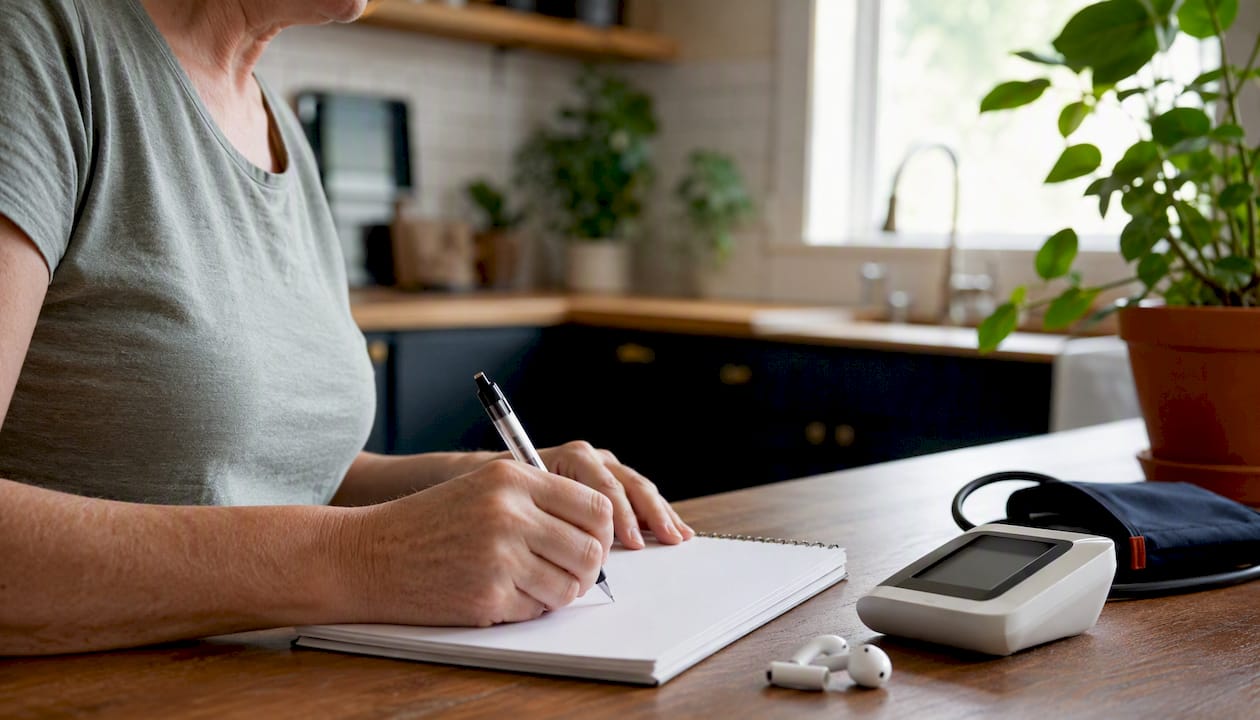
To prepare for a chronic care video visit, complete three time-phased steps: gather your medication list, home readings, and top questions well before; test your device and log in early; and state your priorities clearly at the start of the call. These actions give your clinician the clinical data needed to make real decisions, not just check boxes.
Your quick preparation checklist:
24–48 hours before:
- Verify telehealth coverage and copay with your insurer
- Compile your current medications with doses and how you take them
- Record recent home readings (blood pressure, glucose, weight) with dates
- Write down your top three concerns or questions
- Upload recent labs or photos to the patient portal if your clinic allows it
10 minutes before:
- Log in early to test audio, video, and the waiting room (experts recommend this)
- Plug in your device or confirm battery is charged
- Find a quiet, private, well-lit space and close the door
- Have the clinic’s phone number and your appointment link saved
At the visit:
- State your top concern in one sentence within the first 60 seconds
- Share your home readings when asked
- Before the call ends, confirm the plan, any red-flag signs to watch for, and the follow-up schedule
Pro Tip: Review the first telehealth visit checklist from Myanchorhealthpc before your appointment to make sure nothing falls through the cracks.
Key Takeaways
Preparing for a chronic care video visit comes down to three things: having your clinical data ready, testing your technology in advance, and stating your priorities clearly at the start of the call.
| Point | Details |
|---|---|
| Gather data 24–48 hours before | Compile medications with doses, home readings with dates, and your top three questions before the visit. |
| Log in 10–15 minutes early | Test audio, video, and the waiting room before your provider joins to avoid wasted visit time. |
| State your top concern first | Open with one sentence about your main concern so the clinician can structure the visit around your priorities. |
| Confirm insurance before the visit | Call your insurer to verify telehealth coverage, copay, and audio-only rules before the appointment. |
| Myanchorhealthpc for Maryland patients | Offers relationship-based telehealth primary care with continuity, insurance acceptance, and coordinated chronic-condition management. |
Table of Contents
- When is a video visit right for your chronic condition?
- What technology checks should you run before the visit?
- What should you have ready for a chronic-condition visit?
- How to set up your space and communicate clearly
- How to verify insurance and billing before your appointment
- What happens during a chronic care video visit?
- What to do if your video connection fails
- How relationship-based telehealth supports chronic condition management
- Relationship-based telehealth primary care in Maryland
- Sources
When is a video visit right for your chronic condition?
Chronic care video appointments work well for a wide range of ongoing management tasks. Medication reviews, symptom check-ins, side-effect follow-up, lifestyle counseling, and home monitoring discussions for blood pressure or blood sugar are all well-suited to video. Your clinician can review trends, adjust doses, and order labs without you leaving home.
Some situations still require in-person evaluation. New chest pain, a wound that needs examination, a joint that needs hands-on assessment, or a procedure like an EKG or injection cannot happen over video. The practical rule: if your concern involves something a clinician needs to touch, measure directly, or perform, plan for in-person care.
| Clinical task | Video appropriate | In-person likely required |
|---|---|---|
| Medication review and refill | Yes | No |
| Blood pressure trend review (home cuff data) | Yes | No |
| Blood glucose pattern discussion | Yes | No |
| New, severe, or unexplained chest pain | No | Yes (or ED) |
| Physical exam for new lump or wound | No | Yes |
| Vaccination or injection | No | Yes |
| Routine lab order and result review | Yes (order/review) | Yes (draw) |
| Mental health check-in within primary care | Yes | Situational |
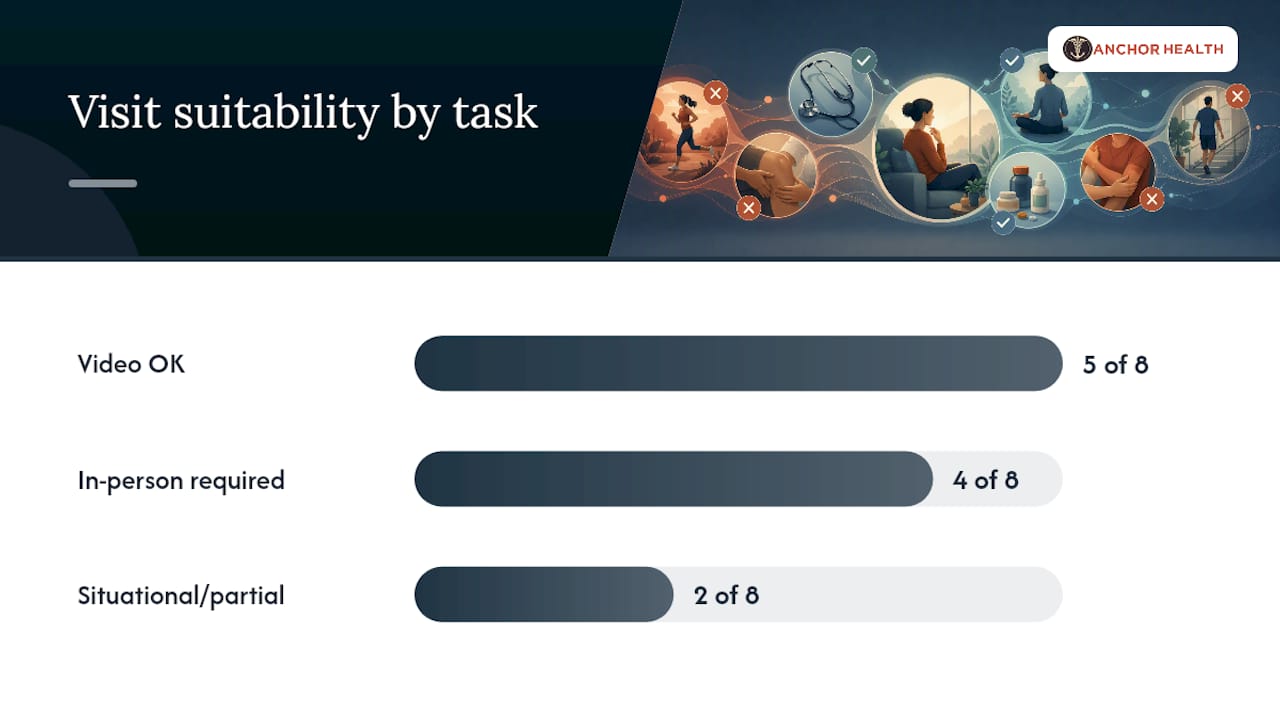
When in doubt, call your clinic before the appointment. Your provider can confirm whether a video visit will meet your needs or whether labs or an in-person exam should be scheduled first. Chronic disease telehealth management works best when you and your clinician agree on the right format before the visit begins.
What technology checks should you run before the visit?
The two most effective steps are using a laptop or tablet on a stable surface and logging in 10–15 minutes early to test audio and video. Everything else builds from there.
Before the day of your visit:
- Install or update the clinic’s required app or confirm the browser version is current
- Enable camera and microphone permissions for the app or browser
- Test your camera and sound and practice a test call if you are unfamiliar with the platform
- Many platforms offer a built-in test page for camera and microphone compatibility checks
On the day of your visit:
- Plug in your device or confirm the battery is charged
- Use wired Ethernet if possible, or sit close to your router and pause large downloads on other devices
- Log in 10–15 minutes early to access the waiting room
- Confirm your camera and microphone are working before the provider joins
- Put on headphones to improve audio clarity for both you and your clinician
If something goes wrong:
- Rejoin using the original appointment link
- Restart the app or browser
- Switch from Wi-Fi to cellular data
- Try a different device (phone instead of laptop)
Pro Tip: Test your setup on the exact platform your clinic uses, not just a generic video call app. A quick test call with a family member the day before catches most problems before they matter.
What should you have ready for a chronic-condition visit?
Bring a single-page summary. That one document, covering your current medications, allergies, recent home readings, and top three questions, gives your clinician everything needed to make decisions during the visit rather than spending time reconstructing your history.
Practical preparation means writing out medications with exact doses and frequency, noting allergies with the specific reaction, and mapping symptom onset and pattern before the call.
| Item | Why it matters | How to present it |
|---|---|---|
| Prescription medications | Dose accuracy prevents errors | List name, dose, and how often you take it |
| OTC medications and supplements | Interactions affect treatment | Include brand names and doses |
| Allergies and reactions | Safety for new prescriptions | State the drug and the specific reaction |
| Blood pressure readings | Trend data guides medication decisions | Bring 3 readings over 1–2 weeks with dates |
| Blood glucose readings | Pattern reveals control quality | Log fasting and post-meal values with dates |
| Recent lab results | Avoids duplicate testing | Upload to portal or have the report open |
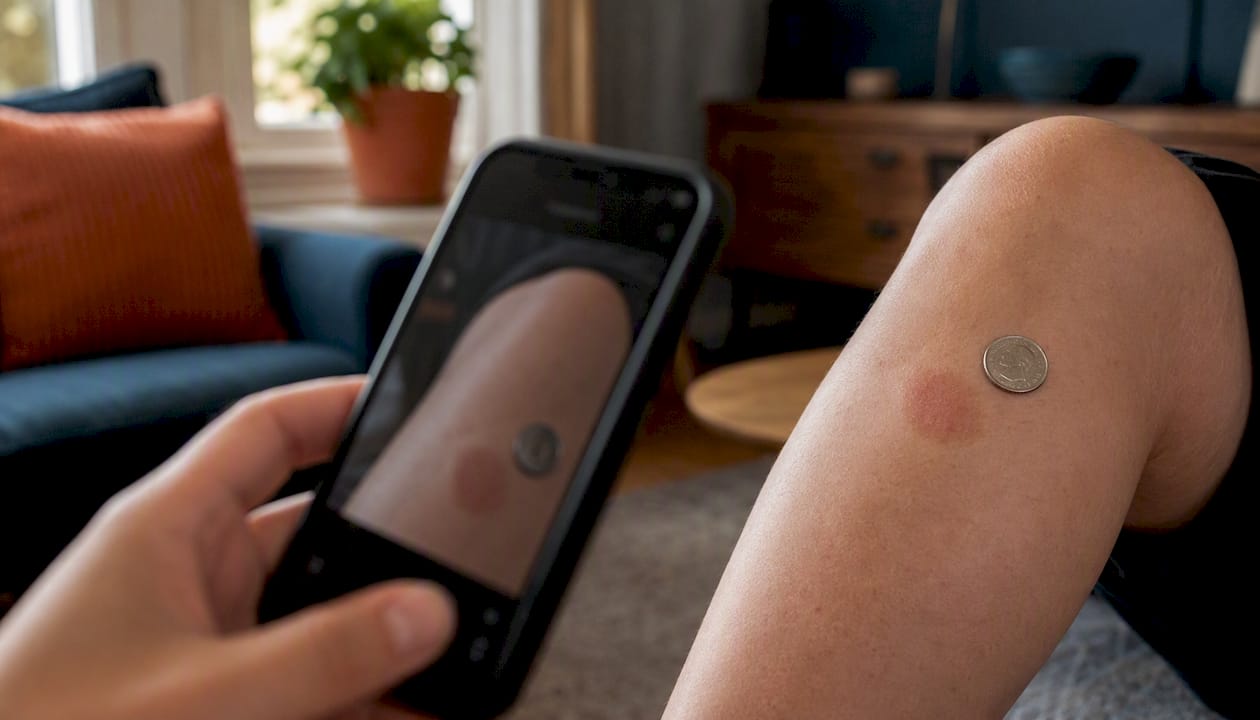
| Skin or wound photos | Visual exam substitute | Upload to portal before the visit |
| Top three questions | Keeps the visit focused | Write them in priority order |
For home device data, upload readings to your patient portal before the visit when your clinic allows it. If portal upload is not available, have the numbers written down or visible on your device screen so you can read them aloud. For managing diabetes care through telehealth, bringing a two-week glucose log is often the single most useful thing you can do.
When sharing photos of a skin condition or wound, use good lighting and include a ruler or coin for scale. Avoid sending images through unsecured text messages; use the clinic’s patient portal or secure messaging system.
How to set up your space and communicate clearly
Pick a private, quiet, well-lit space and use headphones. That combination protects your privacy, improves audio quality, and lets you speak freely about sensitive health details without concern about who might overhear.

Set up facing a window or lamp so light falls on your face, not behind you. Backlighting turns you into a silhouette, making it harder for your clinician to observe your appearance. Position the camera at eye level with your head and shoulders visible. A stack of books under a laptop works fine.
Communication tips for a productive visit:
- Open with one sentence: “I’m here today mainly about my blood pressure readings and a new symptom.”
- Give a short timeline: “This started about two weeks ago and has been getting gradually worse.”
- State your top three priorities within the first two minutes so the clinician can structure the visit accordingly
- Ask for clarification if a term or instruction is unclear; your clinician would rather explain twice than have you leave confused
Caregiver participation: If a family member or caregiver joins the call, agree on roles before the visit starts. One person speaks at a time. The caregiver’s role is typically to add context, take notes, and ask follow-up questions, not to speak for the patient on every point. For sensitive topics, confirm in advance whether the patient wants the caregiver present for that part of the conversation. Consent matters, and your clinician may ask directly. See how to attend a telehealth visit as a caregiver for a full breakdown of roles and documentation.
Pro Tip: Keep a notepad and pen nearby. Whether the visit stays on video or transitions to a phone call, written notes are the most reliable way to capture medication changes, lab orders, and follow-up instructions.
How to verify insurance and billing before your appointment
Call your insurer or log into your plan’s member portal before the visit to confirm three things: telehealth coverage, your copay amount, and whether audio-only visits are covered if video fails.
Steps to take 24–48 hours before:
- Locate your member ID card and the insurer’s customer service number
- Ask specifically: “Is telehealth covered for primary care and chronic condition management under my plan?”
- Confirm the copay or cost-sharing amount for a video visit versus an in-person visit
- Ask whether audio-only visits are covered if video quality fails during the appointment
- If your visit involves a new medication or a referral, ask whether preauthorization is required
What to have ready when you call:
- Member ID number
- Appointment date, time, and provider name
- The specific service or diagnosis code if your clinic provided one
Copay amounts for telehealth vary by plan and by the type of service. Some plans charge the same copay as an in-person visit; others charge less. A few plans still distinguish between video and audio-only visits for reimbursement purposes, so confirming this detail in advance avoids surprises. If labs are ordered during the visit, a separate charge from the lab facility will typically appear on a later statement.
What happens during a chronic care video visit?
Typical chronic-care video visits run 10–20 minutes. State your top concern in the first 60 seconds. Clinicians structure the visit more efficiently when they know your priorities upfront rather than discovering them at the end.
Typical visit flow:
- Identity verification and consent confirmation
- Brief history review and reason for the visit
- Review of home readings and any uploaded data
- Discussion of medication changes, side effects, or new symptoms
- Orders for labs, imaging, or referrals if needed
- Follow-up scheduling and instructions
Before the call ends, ask for three things:
These three questions close the most common gaps patients experience after a video visit: unclear next steps, missed warning signs, and uncertainty about how to receive results.
Your clinician may convert the visit to a phone call if video quality degrades significantly. Many providers transition to phone to finish the appointment rather than reschedule. This is normal and does not affect the quality of care you receive. Keep the clinic’s phone number and your appointment link accessible throughout the call.
What to do if your video connection fails
If video fails, try reconnecting first. Most connection problems resolve with a single rejoin attempt.
Quick fixes in priority order:
- Click the rejoin or re-enter link from your original appointment confirmation
- Restart the app or close and reopen the browser tab
- Switch from Wi-Fi to cellular data on your phone or mobile hotspot
- Move closer to your router or disconnect other household devices using bandwidth
- Try a different device entirely (switch from laptop to phone, or vice versa)
Decision guide:
- If video reconnects within 2–3 minutes: continue the visit normally
- If video fails repeatedly after two attempts: accept the phone transition your provider will likely offer
- If you cannot reconnect and your provider does not call: call the clinic’s direct line immediately
- If the visit cannot be completed: ask to reschedule rather than leaving without a plan
A scoping review of videoconferencing for chronic condition management found that technology barriers are among the most common obstacles to successful telehealth visits. Having a contingency plan is not a backup option; it is part of the preparation.
Pro Tip: Save the clinic’s direct callback number and your appointment link in the same calendar event. When video fails, you will not have time to search for either one.
How relationship-based telehealth supports chronic condition management
Long-term, relationship-based telehealth gives clinicians the context to track trends, adjust medications safely, and coordinate labs and referrals without starting from scratch at every visit. A clinician who knows your baseline blood pressure, your medication history, and your lifestyle context makes better decisions than one seeing you for the first time.
Myanchorhealthpc operates on the Anchored Care℠ᴵᴾ model, a continuity-first approach to telehealth primary care in Maryland. Key features for patients managing chronic conditions include:
- Longer visits when clinical complexity requires more time
- Trend-based medication adjustments informed by your home monitoring data
- Coordinated lab and referral scheduling integrated into the visit
- Mental and emotional health support within the primary care relationship
- Insurance acceptance, self-pay, HSA/FSA options, and an optional membership for enhanced access
The telehealth vs. endocrinologist comparison for chronic care in Maryland is a useful reference if you are deciding whether a primary care telehealth relationship or a specialist visit better fits your current needs.
Service availability note: Myanchorhealthpc is currently telehealth-only and serves patients in Maryland.
What clinicians wish patients knew about video visits
The single most useful habit you can build is bringing objective home data and one clear top question to every visit. Clinicians can work with numbers. Vague descriptions of “feeling off” take time to unpack; a two-week blood pressure log with dates takes seconds to interpret and leads directly to a decision.
The most common missed opportunity we see is patients who prepared well but never stated their real concern. They mention it at the end of the visit, when time is short. State your top priority first, even if it feels abrupt. Your clinician will appreciate it.
Pro Tip: Read your after-visit summary in the patient portal within 48 hours. Under the 21st Century Cures Act, you have the right to view your electronic clinical notes after the visit. If you spot a factual error in your medication list or history, flag it through the portal’s messaging system promptly.
Relationship-based telehealth primary care in Maryland
Myanchorhealthpc offers telehealth primary care built around continuity, not convenience alone. For patients managing chronic conditions in Maryland, that means a consistent provider who knows your history, longer visits when your situation calls for them, and follow-up that does not fall through the cracks between appointments.
We accept most major insurance plans, and self-pay, HSA, and FSA options are available. An optional membership plan provides enhanced access and structured follow-up for patients who want more frequent touchpoints. To learn whether Myanchorhealthpc is the right fit for your care, visit our guide on how to choose telehealth primary care for your family or book a visit directly at Myanchorhealthpc.
Sources
- How can I use telehealth to manage chronic conditions?
- How to Prepare for Telehealth Appointment
- How to Prepare for a Successful Video Visit with Your Doctor
- Telehealth: What it is, how to prepare for it, and how it’s covered
- Scoping review of synchronous videoconference interventions for chronic conditions
This article provides general health information and is not a substitute for professional medical advice. Confirm coverage rules, medication changes, and clinical decisions with your provider or insurer directly.
Recommended
- How to Communicate Care Needs to Your Telehealth Provider
- Chronic Disease Telehealth Management Tips That Work
- How to Attend a Telehealth Visit as a Caregiver
Blog & Information Disclaimer
Last Updated: May 23, 2026
The information provided on the Anchor Health website (https://myanchorhealthpc.com/), including but not limited to blog posts, articles, newsletters, graphics, and other materials (collectively, the "Content"), is for general informational and educational purposes only.
By accessing and using this website, you acknowledge and agree to the following terms and conditions:
The Content on this website is not intended to be a substitute for professional medical advice, diagnosis, or treatment. Always seek the advice of your physician, nurse practitioner, or other qualified health provider with any questions you may have regarding a medical condition. Never disregard professional medical advice or delay in seeking it because of something you have read on this website.
Reading, interacting with, or sharing the Content on this website does not establish a patient-provider relationship between you and Anchor Health or any of its clinicians, including Paule Valery Joseph, PhD, MBA, CRNP, FAAN. A formal patient-provider relationship is only established after you have completed the formal intake process, signed our clinical consent forms, and participated in a secure clinical consultation.
If you are experiencing a medical emergency, call 911 or seek emergency medical services immediately.
Anchor Health is a primary care practice and does not provide emergency or crisis intervention services through its website or blog.
While Anchor Health strives to provide thoughtful, evidence-based information grounded in our Anchored Care℠ model, healthcare is a rapidly evolving field. We make no representations or warranties, express or implied, about the completeness, accuracy, reliability, or suitability of the information contained in the Content. Any reliance you place on such information is strictly at your own risk.
Anchor Health is a telehealth practice providing services to patients physically located within the state of Maryland. The information provided on this blog is intended for residents of Maryland and is governed by the laws and regulations of that state. Accessing this information from outside of Maryland does not imply that our clinicians are licensed to practice medicine or provide consultations in your jurisdiction.
Content related to Weight & Metabolic Health, including discussions of GLP-1 medications or other medical therapies, is provided for educational context regarding our clinical approach. Prescriptions and specific medical recommendations are only made following a comprehensive clinical evaluation, diagnostic testing, and shared decision-making within a formal patient-provider relationship.
This website may contain links to external websites that are not provided or maintained by or in any way affiliated with Anchor Health. Please note that Anchor Health does not guarantee the accuracy, relevance, timeliness, or completeness of any information on these external websites.
To the fullest extent permitted by law, Anchor Health, its owners, and its employees shall not be liable for any direct, indirect, incidental, consequential, or punitive damag
Related posts